User roles: ✔ Project Manager ✔ Project Administrator
Over time a project's benefits list fills up with benefits that no longer belong in the numbers: ideas that were cancelled, benefits superseded by a new business case, records raised in error. Deleting them would lose the history of what was proposed and decided, and once a benefit has been through approval Fluid will not delete it.
Archiving takes a benefit out of the lists, totals and dashboards while keeping everything about it: its values, KPIs, approvals and history. If it turns out to matter after all, unarchiving puts it back exactly as it was.
In this article you will learn which benefits can be archived, what archiving does, how to find and unarchive a benefit, and when a benefit can be deleted instead.
Before You Start
You need Manage permission on the benefit's project.
A benefit can be archived when it is Approved, Realized or Cancelled, or at any status once it has been submitted for approval, including one recalled back to Idea. An Idea, Validated or Closed benefit that has never been submitted cannot be archived; cancel it first, or delete it.
Archive a Benefit
Open the benefit and choose Tools → Archive.
Confirm with Archive. The benefit keeps its status.
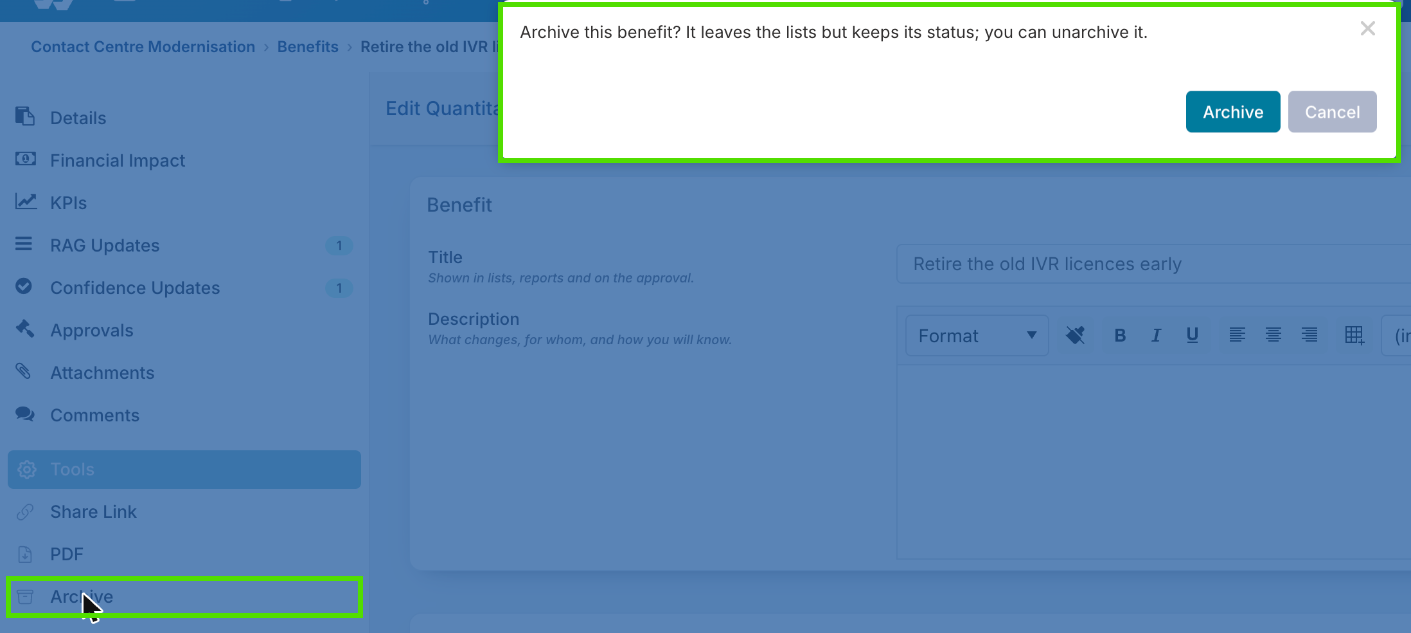
If the benefit is with an approver, the confirmation says so, and archiving withdraws the request for you. You do not have to recall it first.
Archiving a Benefit That Is With an Approver
A benefit with an open benefit approval, an open realized values approval, or both can be archived. Fluid withdraws each open request first, as Recall from Approval would:
a simple decision is cancelled;
a board card is archived;
any pending realized periods are released;
a comment recording the withdrawal is added to the benefit.
The benefit is then archived. Nothing is approved or rejected on the way through, and the withdrawn request stays in the benefit's history. Unarchiving does not restore it: submit the benefit again if it is still needed. See Approving Realized Values.
What Archiving Does
An archived benefit is taken off the project's open and closed benefits lists. It does not count in any roll-up, total or dashboard figure, and it is left out of the bulk edit export; a workbook row naming it is refused. Nothing about it is deleted: its values, KPIs, approvals and history are kept, and unarchiving brings it all back. Ongoing costs are not archived.
Find and Unarchive a Benefit
On the project's benefits list, choose Archived at the top right.
Open the benefit and choose Tools → Unarchive.
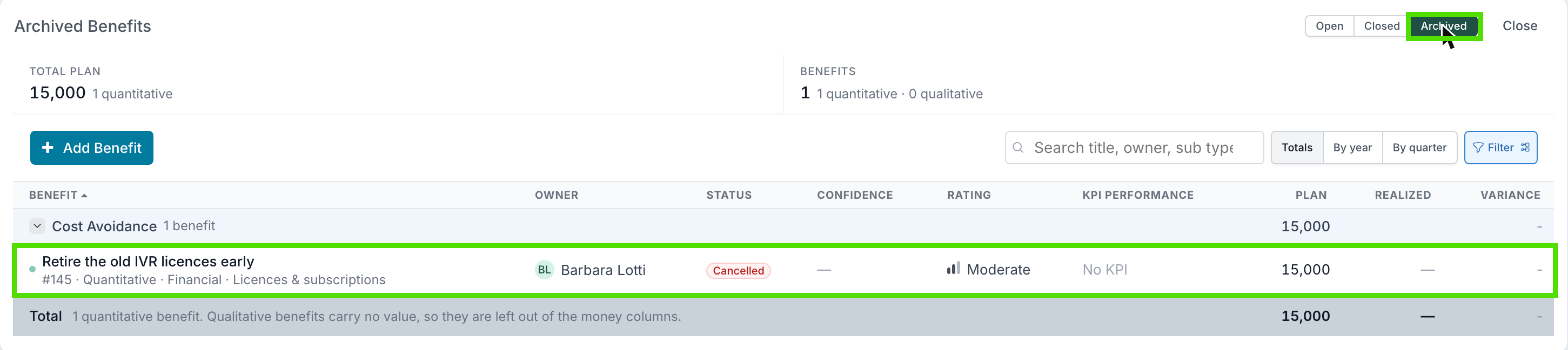
It goes back exactly as it was archived, and counts in totals and dashboards again.
Archive or Delete?
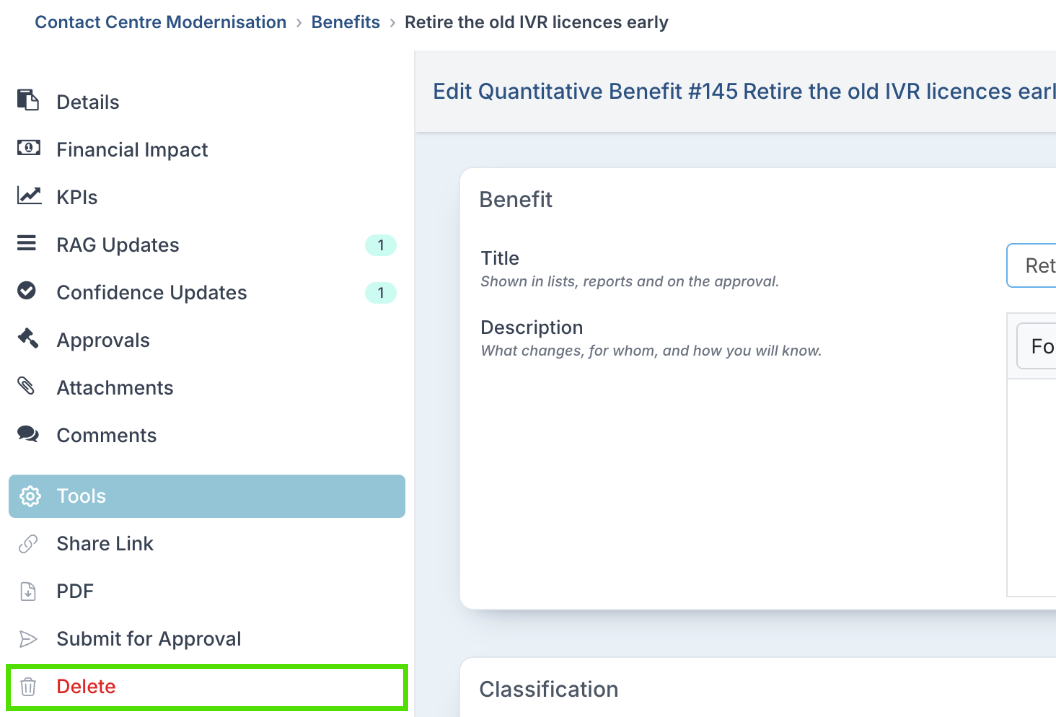
Tools → Delete is offered only for an Idea or Validated benefit that is not with an approver. Delete is refused for a benefit that has ever been submitted for approval, even one that was recalled or rejected, and for one with realized values recorded. Fluid tells you to archive it instead.
See Setting Up Benefit Baselines and Approval for how benefits are submitted, recalled and approved.
Good to Know
Does an archived benefit still count towards my portfolio's benefit total?
No. Archived benefits are excluded from every roll-up, total and dashboard, and from the bulk edit export. Unarchive the benefit to bring it back into the numbers.
Why is Archive not in the Tools menu?
The benefit is Idea, Validated or Closed and has never been submitted for approval. Cancel it first, or delete it if it is Idea or Validated.
Can I archive a benefit that is awaiting approval?
Yes. Fluid withdraws the open request for you first and records a comment, then archives the benefit.
I can't delete this benefit.
It has been submitted for approval at some point, or has realized values recorded, so it is kept on record. Archive it instead.