Question:
How do I assign a profile role to a resource (user) in Fluid?
Answer:
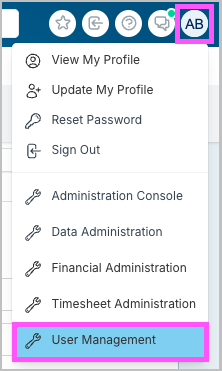
You can assign a role to a resource in their user profile in the 'User Management' area.
Note: You must have the 'User Administrator' role or be an 'Application Administrator' to access 'User Management' and make changes to user profiles.
Steps to Assign a Role to a Resource
Go to 'User Management' by clicking on your profile icon top right and select from the drop down.
Click on a user from the list to open their Account Settings.

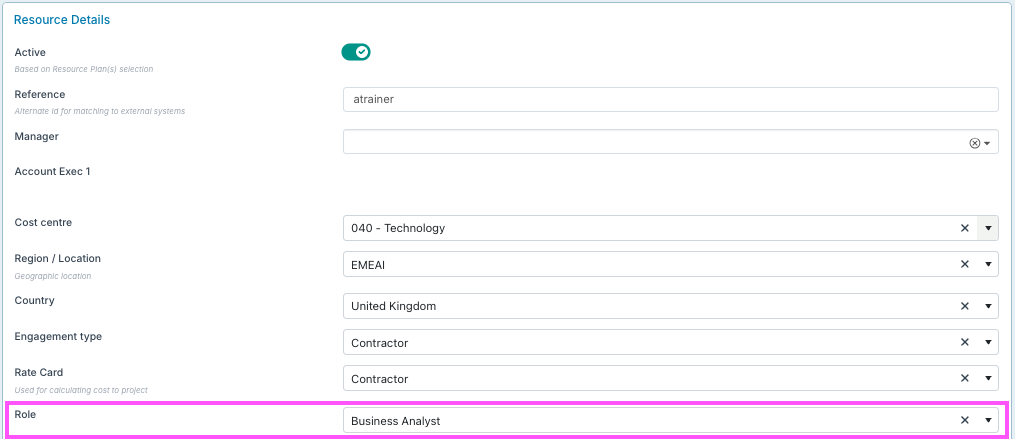
Scroll down to the 'Resource Details' section and add their role in the 'Role' field.
Create a New Role
If the role that you wish to assign does not yet exist, you can create a new role by following the steps here: How do I create a new role?