21st October Patch Release
Enhancements & Fixes
Project Status Component: Project Status can now be added as a column on the Portfolio RAG Summary, so views that don't already show it can display each project's status alongside its RAG.
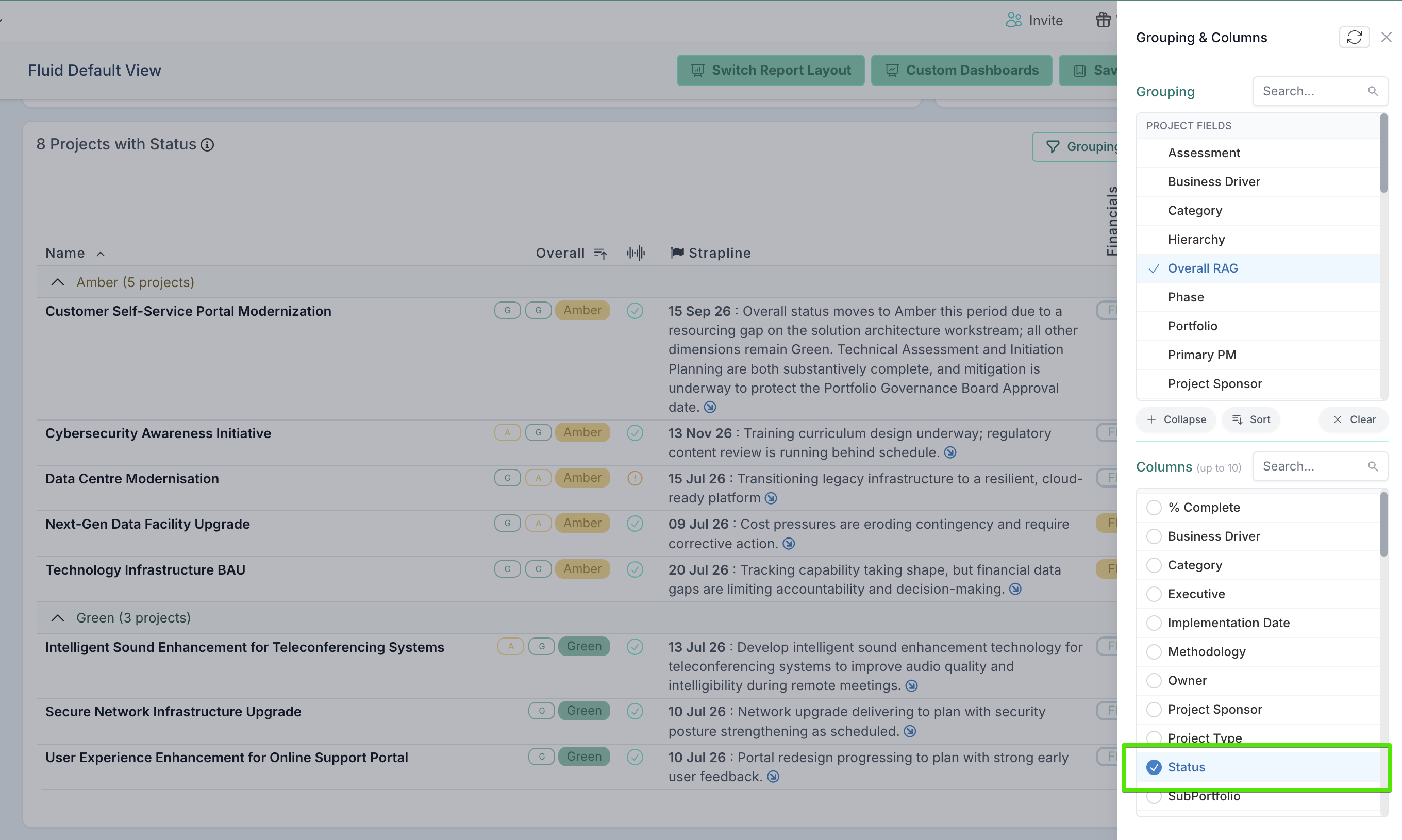
The Grouping and Columns lists are now sorted alphabetically in the Project Detailed List, Portfolio RAG Summary and Financials by Project drawers, covering both project fields and custom properties, so a field is easy to find in a long list. The order of columns you have already selected is unchanged.
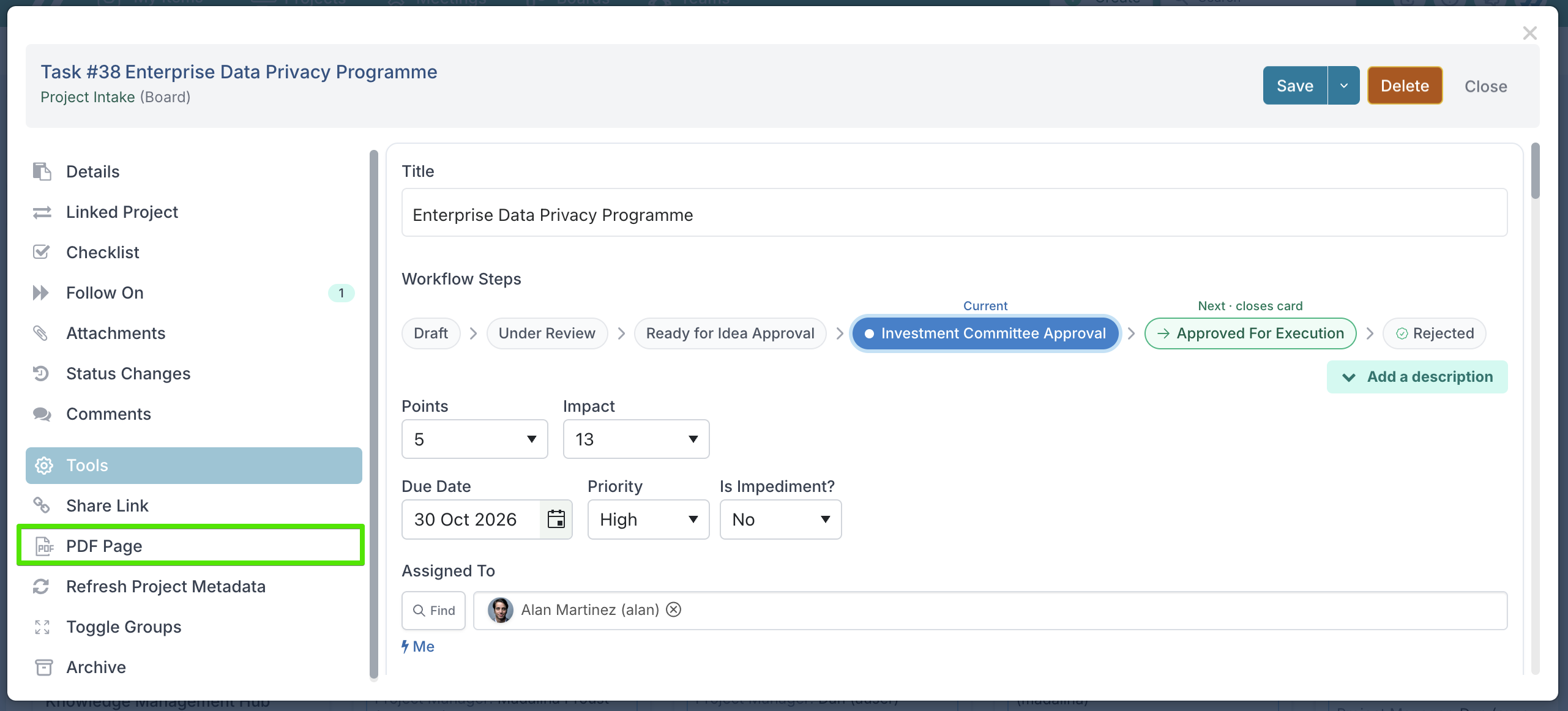
Save a dialog as PDF: action, request and schedule task dialogs can now be saved as a PDF from the dialog's Tools list (Tools > PDF Page), capturing the item's full page. Printing an open dialog with Ctrl+P now prints all of it across pages, instead of repeating the same view on every page.
Gantt Views — Critical Path: with Show Critical Path saved on, reopening a schedule now highlights the critical path straight away. Previously the setting showed as on but the highlight only appeared after switching it off and on again.
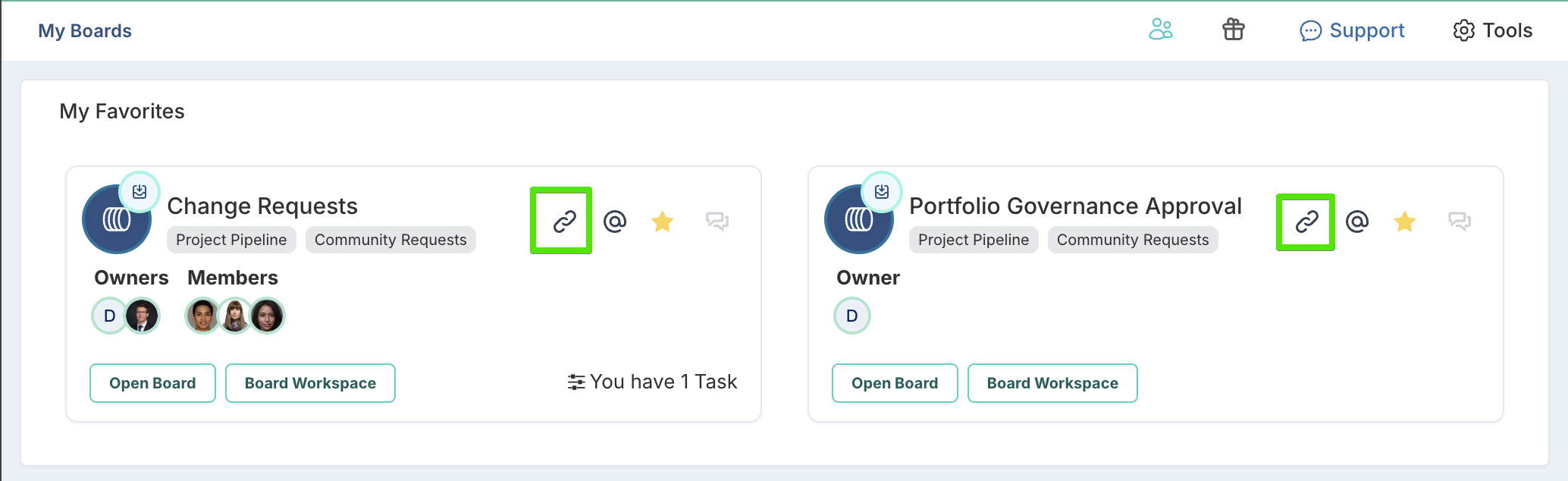
My Boards — work request link on the card: boards that accept work requests (Community Requests and Limited Work Requests) now show the board's work request link on their card, next to the email and favourite icons, so the submission link can be copied or shared without opening the board.
Flex Work boards: the Board Owner can now edit a Flex Work board. Previously editing required a project Owner, Portfolio Manager or Portfolio Admin role, even for the board's own owner. Creating boards is unchanged, and the Disable Flex Boards setting still prevents editing where enabled.
Chat panel: the chat header now always shows the correct channel name when switching between channels. Previously, reopening the channel that had just loaded could leave the panel stuck showing the old channel's title whichever channel was opened next.
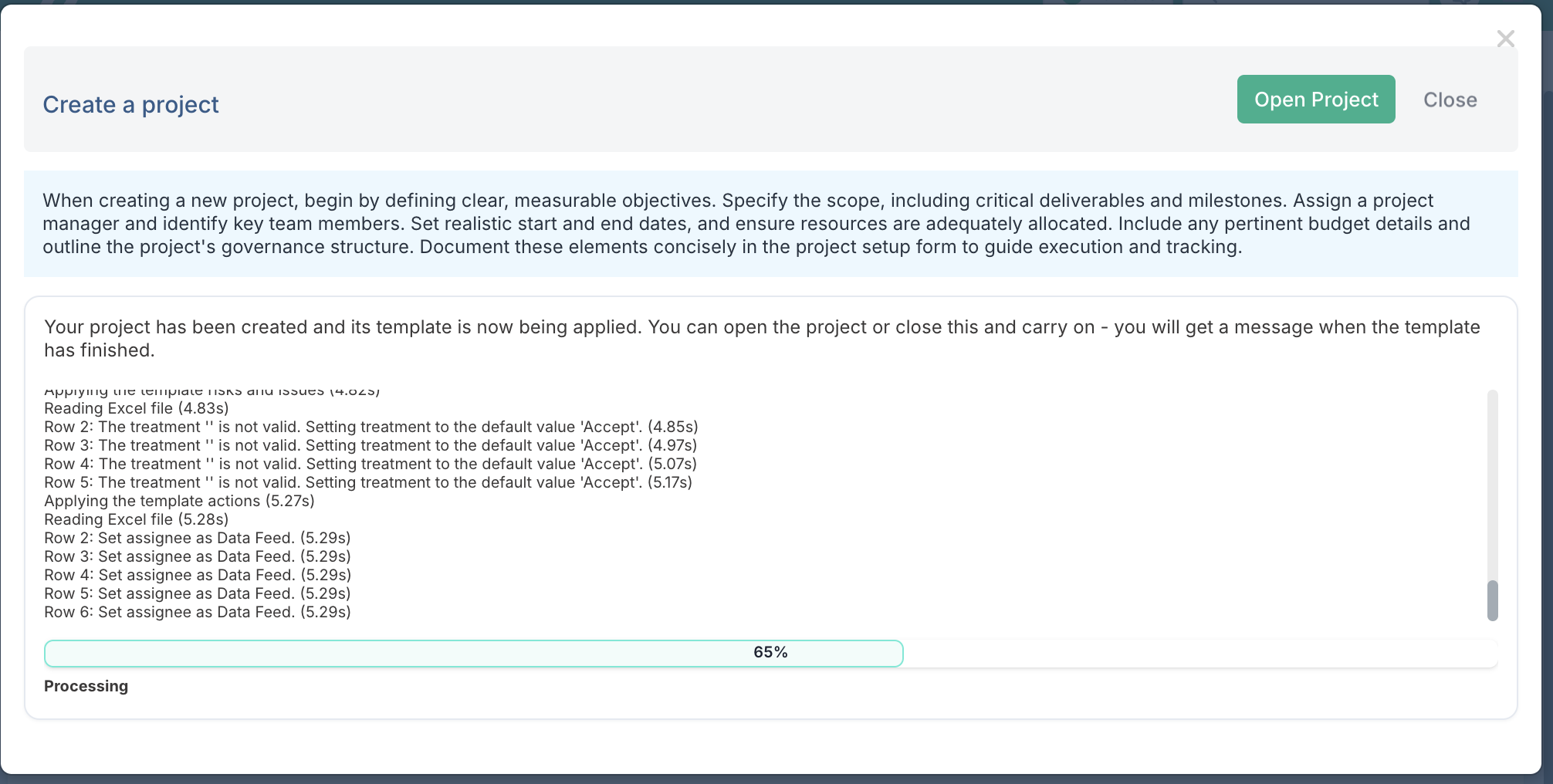
Creating a project from a template: creating a project from a template could show an error even though the project had been created, and retrying then produced two copies, which could show a blank RAG on the Portfolio RAG Summary. The template is now applied in the background after the project is saved: the Create Project dialog shows a live progress panel listing each step (schedule, risks and issues, actions, then resourcing), the Create Project button becomes Open Project, and closing the dialog lets you carry on working while the template completes — a chat message with a link to the project arrives when it finishes. Retrying after an error or a slow response now returns the project that was already created, never a second copy. Creating a project without a template is unchanged and opens straight away.
15th October Patch Release
Enhancements & Fixes
Boards — task type names: trailing spaces are now trimmed when saving a board's task types, both in the board settings and through bulk edit uploads. Existing task type names (and the tasks carrying them) are cleaned up automatically by the update.
Gantt — Keyboard Control: fixed a script error that could, in some circumstances, stop all keyboard functions working in the Gantt editor until the page was reloaded.
Document custom properties — no more duplicate links: a web link added to a Document-type custom property on a card also appeared in the card's attachments list, and was duplicated when the property synced to a project. Links added through a custom property now show only in that property, matching how uploaded files already behaved.
14th October Patch Release
Enhancements & Fixes
Gantt View: switching Keyboard Control off while a cell edit was in progress left the editor stuck — the half-finished edit stayed open, and every later click on an editable cell failed until the page was refreshed. Switching Keyboard Control off now finishes the edit first (saving it if something was changed), and removing a column while one of its cells is being edited now closes the edit cleanly instead of locking the editor.
Schedule PDF export now matches what's on screen: the PDF could include items the on-screen filters excluded — the Show Child Projects option and selected promotion levels weren't carried into the export, and changing filters twice in quick succession could leave the screen showing older data than the filters (and the PDF) reflected. The export now respects all the filters as set, and rapid filter changes always display and export the latest selection.
12th October Patch Release
Enhancements & Fixes
Timesheets — correcting time on a removed allocation: with Use project allocation on, a timesheet returned for amendment now shows a project's row even when the person's allocation to that project has since been removed, as long as hours were booked to it. The booked days stay editable so the hours can be zeroed out and the timesheet resubmitted — but new time can't be booked against the removed project; attempting more than zero shows a validation message. Previously the row disappeared with the allocation, leaving the booked hours stuck with no way to correct them.
Bulk edit — Table custom properties are no longer wiped: uploading a bulk edit file used to blank any Table custom property values on the updated items, even though the file never carried them (table properties can't be edited through bulk edit). Table properties are now left untouched by bulk edit uploads, so their values are retained — this applies wherever table properties are used: schedules, impacts, projects and the rest.
9th October Patch Release
Enhancements & Fixes
Cross project dependencies: creating a Cross Project Schedule Dependency with the Schedule impact type switched off used to fail with a blank "Update failed" message. The message now gives the reason and points administrators to where the impact type is enabled (Administration Console > Project Labels and Field Names > Project Impacts).
Gantt Schedule:
With Auto Replan on, changing a task's dates in the task window or the Finish column now moves dependent tasks (previously only some edit routes replanned), and a milestone moved later in the task window keeps its new date instead of jumping back.
Project-Specific Settings now genuinely stay per project, and a saved Auto Replan preference is no longer overridden by older bookmarks or shared links.
When editing a title inline on the Gantt (with Keyboard Control on), deleting the text and pressing Enter or clicking away used to save the task with no name. The original title is now restored instead — a task is only renamed when a new title is actually typed — and the grid shows the saved title immediately.
Changing a task's Type now clears its Sub Type when that Sub Type doesn't apply to the new Type — in the Create and Edit dialogs, the Gantt grid, and bulk edit or other imports. Previously the mismatched Sub Type was saved and then rejected on re-upload with "sub type is not valid for the task type", with no way to correct it. Tasks already carrying a mismatch are fixed the next time they're saved or uploaded.
Promotion filter — L4 items now show: choosing L4 in the Promotion filter (alone or with other levels) now actually displays L4 tasks, on every schedule screen with the filter and in Word/PowerPoint exports of impact dependencies. Nothing changes unless someone selects L4 — every screen still opens at its usual level.
Project audit page dates: the project Start and End dates shown on the Audit History page could appear one day earlier than on the project workspace (a timezone shift, e.g. 31 Jul instead of 1 Aug). Both now show the same dates.
Custom properties panel stability: fixed an intermittent browser issue (Chrome and Edge 153 and later) where number formatting could fail and blank the whole custom properties panel, most often on the card dialog.
Resource forecasts: uploads and API calls now find a resource by email address even if that user has never signed in to Fluid. The user loader's manager reference lookup works the same way.
7th October Patch Release
Enhancements & Fixes
Schedule % complete and RAG status: Added an system admin tool (Fluid internal) tool to fix an issue where some schedules, particularly imported ones, had tasks whose % complete and RAG status didn't match, for example a task marked Completed but showing less than 100%, or a task at 100% without a Completed RAG status.
Dialogue field rendering: Fixed an issue where in recent browser versions of Chrome and Edge, number fields, percentage fields and sliders could sometimes fail to load, leaving the custom properties panel blank. This was most often seen in the action dialog and when editing governance assessments.
Dashboard printing: Charts no longer split across pages or overlap each other when a dashboard is printed or saved as a PDF. Each chart now stays whole and moves to the next page when needed.
5th October Patch Release
Enhancements & Fixes
Status reports: Fixed an issue where, when Strict Status Reporting is enabled, draft status reports with a past date were showing as read-only for non-admins, and were displaying the message "This report is published and read-only". Status Reports in a draft state now remain editable. Published reports from past dates stay read-only as before.
Project Dashboard Schedule: Searching with the "Name or Id" filter now shows each matching project's schedule tasks as well as the project overall timelines bar. Changing the promotion level while searching now shows tasks as expected. On project and program workspaces, filters set in the Actions panel no longer empty the schedule.
Note: The schedule only shows tasks at the promotion levels you select, so if tasks are missing, check the Promotion settings under Filters & Options.Hyperlink custom properties: Locked custom properties created as a Hyperlink field now show the web address as a clickable link when no link description has been added, instead of appearing empty.
Impact Find dialog: Fixed an issue where clicking a catalog filter in the 'Find' dialogue when assigning and impact Owner highlighted all of them, and results could come from the previously selected catalog. Clicking a catalog filter now highlights only that filter, and the search returns results from that catalog alone.
Catalog records: When you create a catalog record, the Connection setting is now on by default, unless the catalog is set as 'Metadata Only'. This matches how records are created through bulk import. 'Connection' lets the record be used in connections such as Assignees and property tagging.
Catalog tags in search results: Catalog records in Find search results now show the label "Catalog Record" on the right, instead of a long system ID (GUID).
2nd October Patch Release
Enhancements & Fixes
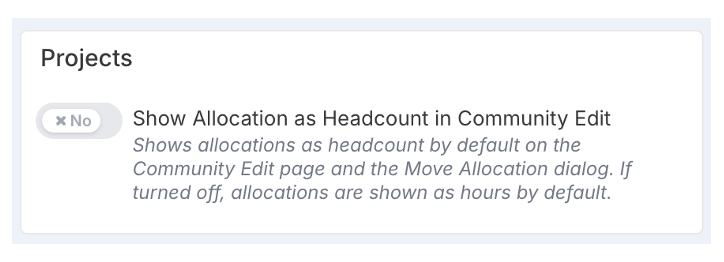
Resource allocations — default the view to hours: a new setting lets project administrators choose Hours as the default view for allocations: turn off Show Allocation as Headcount in Community Edit on the Project setup Features page and the Community Edit page opens in Hours instead of Headcount. The same default now applies to the Move Allocation dialog, which has also gained full hours support — monthly figures can be viewed and edited in hours, and the amount to transfer can be entered in hours, converted for each month using the resource's rate card hours. Users can still switch between Hours and Headcount at any time; without the setting change, both screens keep opening in Headcount as today.
Board cards: fixed the card dialog failing to load with a script error on cards carrying a Table custom property with a Number column, when a stored value wasn't a plain number. The bad value is now handled safely and logged so its source can be traced.
1st October Patch Release
Enhancements & Fixes
Schedule Gantt: schedules can no longer form looped hierarchies (a task becoming a child of its own subtask), which could stop the schedule loading or crash the editor after a save. Invalid moves are refused or rolled back visibly, and schedules already containing a loop now load with the affected task at top level.
MS Project import: the import no longer fails with "Default Rate Card not found" when Flex Schedule is on and no active Default rate card exists. The rate card only supplies the hours in a working day, used to calculate allocation hours for assigned resources, so the import now uses the Default rate card's hours when there is one and an 8-hour day when there isn't.
Search filters: the filter-type icons on search panels now follow one consistent colour scheme matching their labels: black when not selected, green on hover, white when selected. Catalog-type filters also behave correctly now: switching between catalog pills re-runs the search straight away, and switching from a catalog pill to People or Projects no longer leaves the search wrongly scoped to the previous catalog type.
Simple Search: fixed some fields (Unique Id, Exclude Unique Id, Title) being unclickable on narrower screens, where another panel overlapped them. The layout looks the same as before.
Project Impacts bulk upload: Fixed an issue where Impacts couldn't be created through the Project Impacts bulk upload if the Probability column was left blank, even when Probability isn't required for that impact type in the Impacts, Probability & Risk Rating setup. The bulk upload now follows the same rules as creating an Impact directly in the project workspace, so you can leave Probability blank where not required.
Schedule Sub Type: removing a Sub Type from a schedule item now saves — previously the cleared value silently came back after a reload, both in the edit dialog and through Excel bulk edit.