
Self Sign Up
Edited
You can sign yourself up for Fluid if the option has been configured by your administrator.
From the login page, click on Create an Account link.
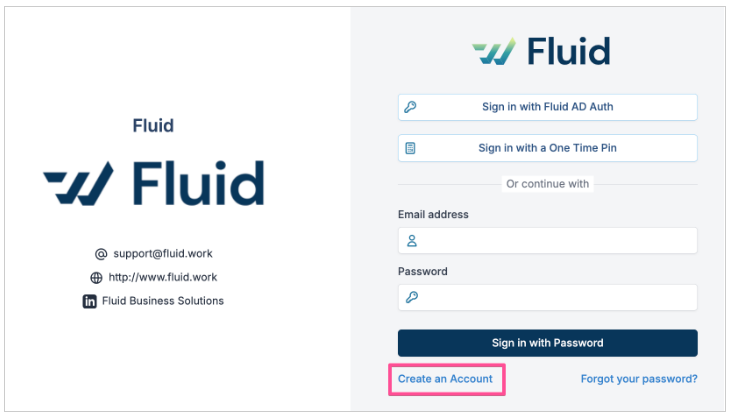
Only your email address is required to create an account. You can add your details and other email addresses to your account later.

An email is then sent to your email address with the instructions on how to complete the sign up process.
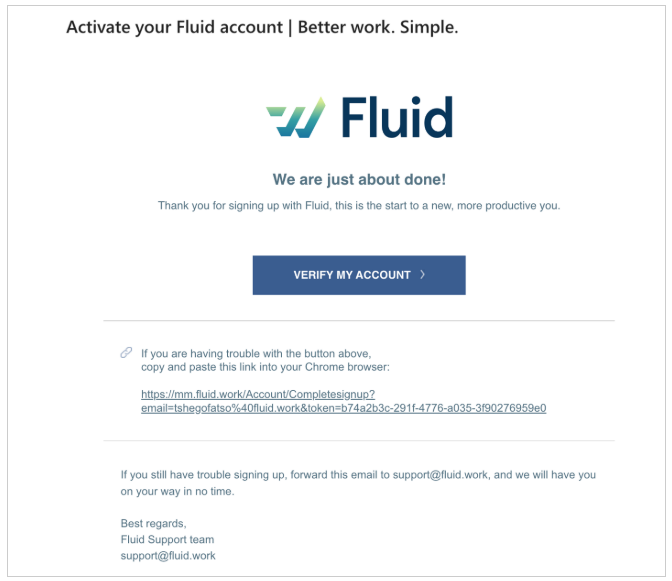
Open the email, click on the Verify My Account button or copy/paste the link below it. Enter your first name, last name and a password and then click on Save.
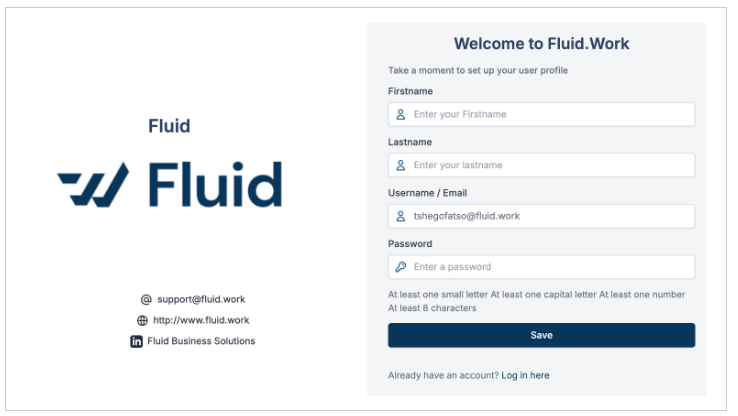
Congratulations you are now signed up and you may start using Fluid!
Was this article helpful?
Sorry about that! Care to tell us more?