
How do I close a project?
Question: How do I close a project?
Answer: Closing a project is how you mark a project as finished. This is different from archiving a project.
When your project has completed and no further work is expected, you should close the project by updating its status. Closing a project keeps it visible for reporting and historical reference, while clearly indicating that delivery is complete.
Archiving a project is a separate action and is typically used to remove old or inactive projects from day-to-day views. If you’re looking to archive a project instead, see How to archive a project or program.
How to close a project
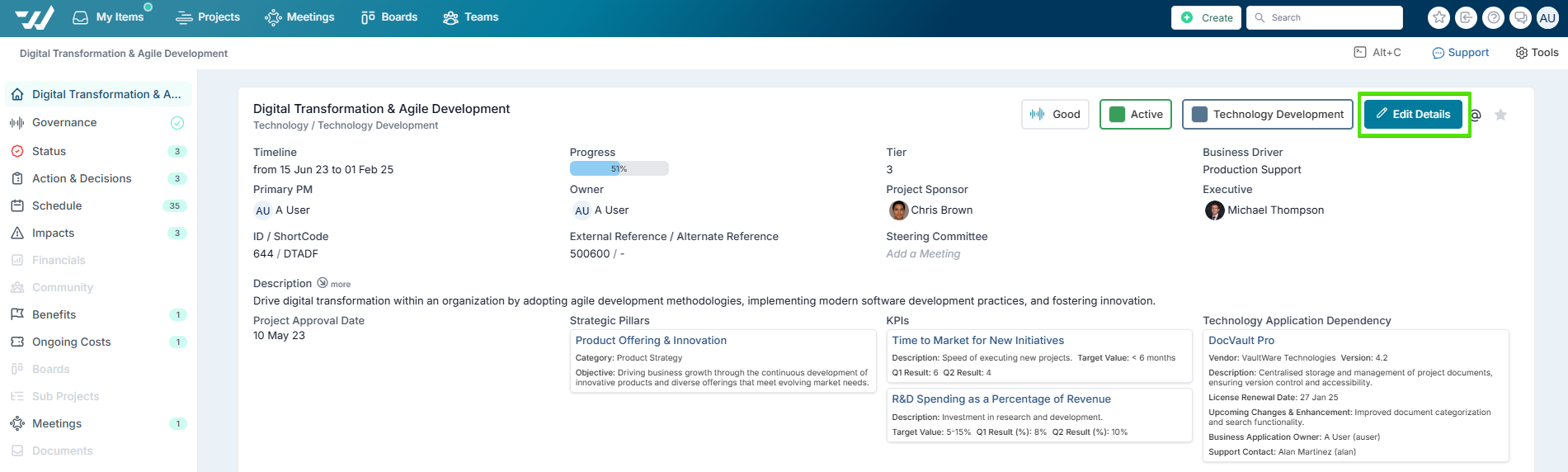
From within the project workspace, select Edit Details to open the project details page.
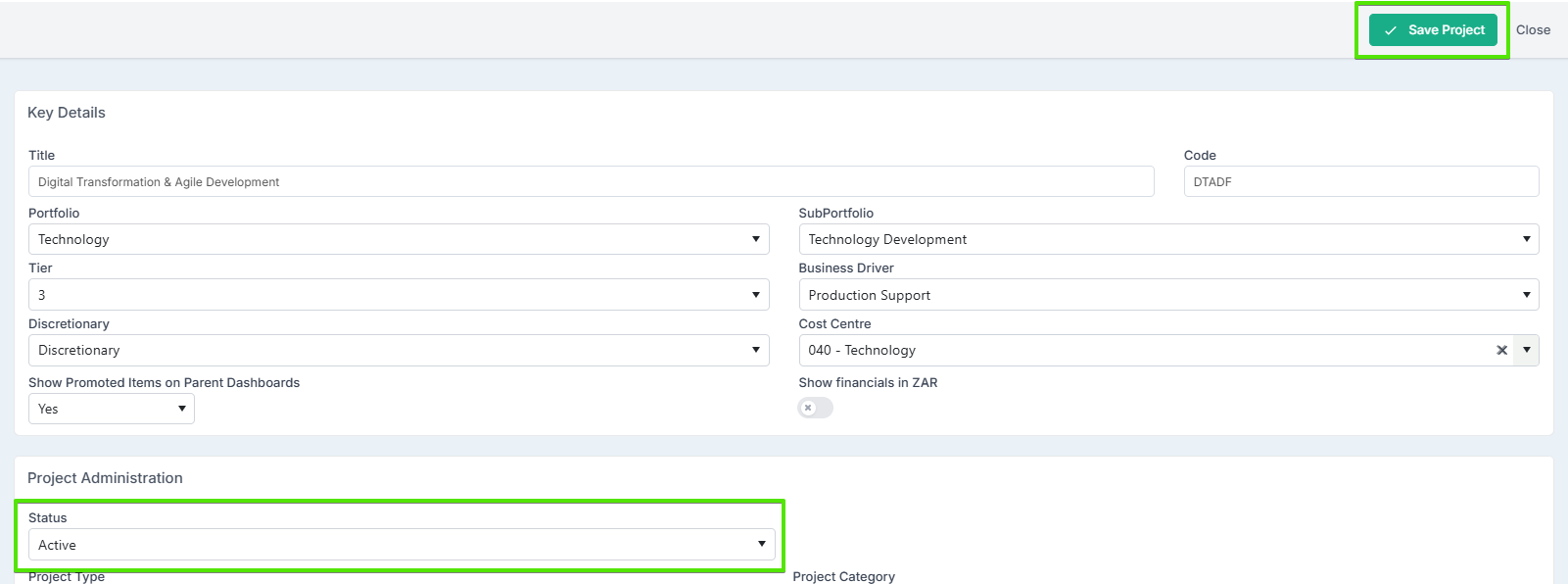
Locate the Project Status field and change the status to Closed (or the equivalent closed status in your organisation).
Select Save Project to apply the change.
Once saved, the project will be marked as closed.
Important note about project status labels
The Closed status label may have been renamed by your Project Administrator to align with your organisation’s terminology (for example, Completed, Finished, or Closed – Delivered).
If you do not see a status explicitly called Closed, look for a status that represents a completed or finished project.
If you are unsure which status to use, contact your Project Administrator for guidance.