
Introduction to Catalogs
Catalogs help you describe, standardise, and report on the wider environment your projects operate within (e.g., Applications, Offices, Vendors, Strategic Drivers, KPIs).
They provide a consistent taxonomy that you can tag to projects, resources, boards, or meetings so stakeholders can understand dependencies and impact across the portfolio.
What you can do with catalogs
Tag elements across Fluid
Catalogs can be linked to Projects, Scheduled Tasks, Impacts, Boards, Resources, etc. This makes it easy to see, for example, which projects touch the same application, or which tasks are related to a strategic driver.
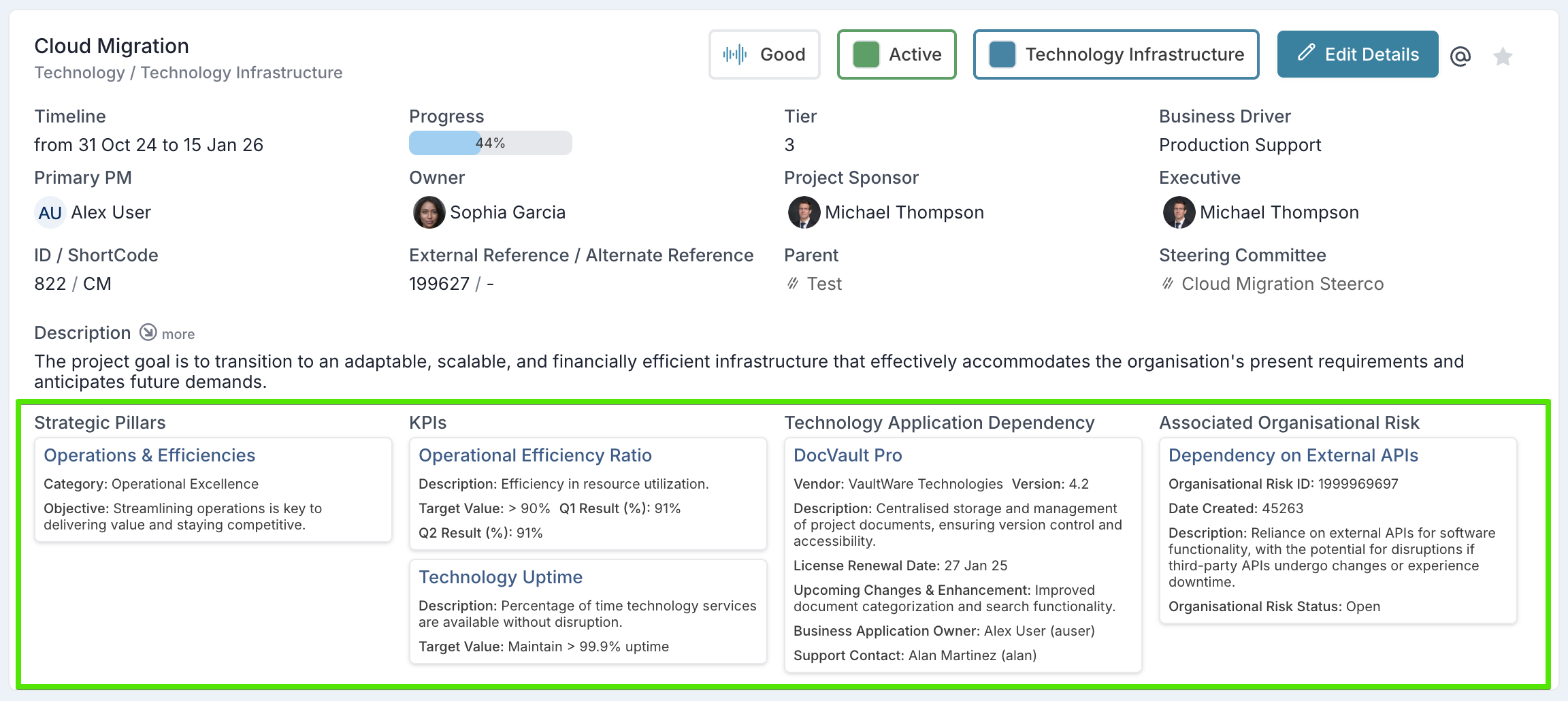
Use catalogs in risk, issue, and impact management
When working with Impacts, you can set catalog items as the owner or as a dependency. This gives a clear map of how specific organisational elements (like a business application or vendor) are affected by, or are driving, project risks and issues.
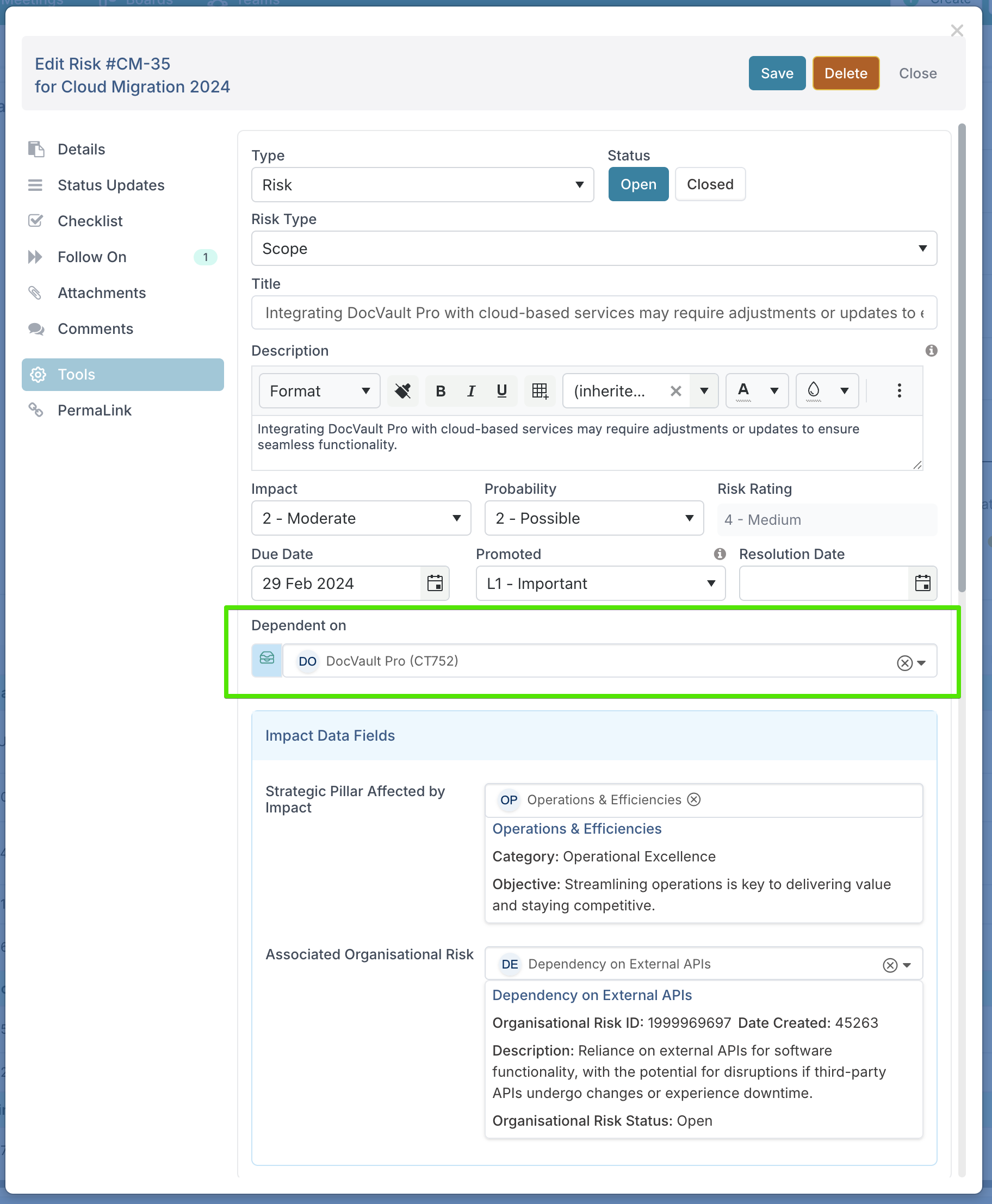
Get a complete view with Catalog Workspaces
Every catalog item has its own workspace page that consolidates all projects, impacts, risks, and issues connected to it. This means you can immediately see how the catalog item is being used across the portfolio — whether it is tagged as a property, set as a dependency, or assigned as an owner.
For catalog owners, the workspace gives a single place to track everything linked to their domain, such as all projects that affect a key application or all impacts related to a strategic objective.
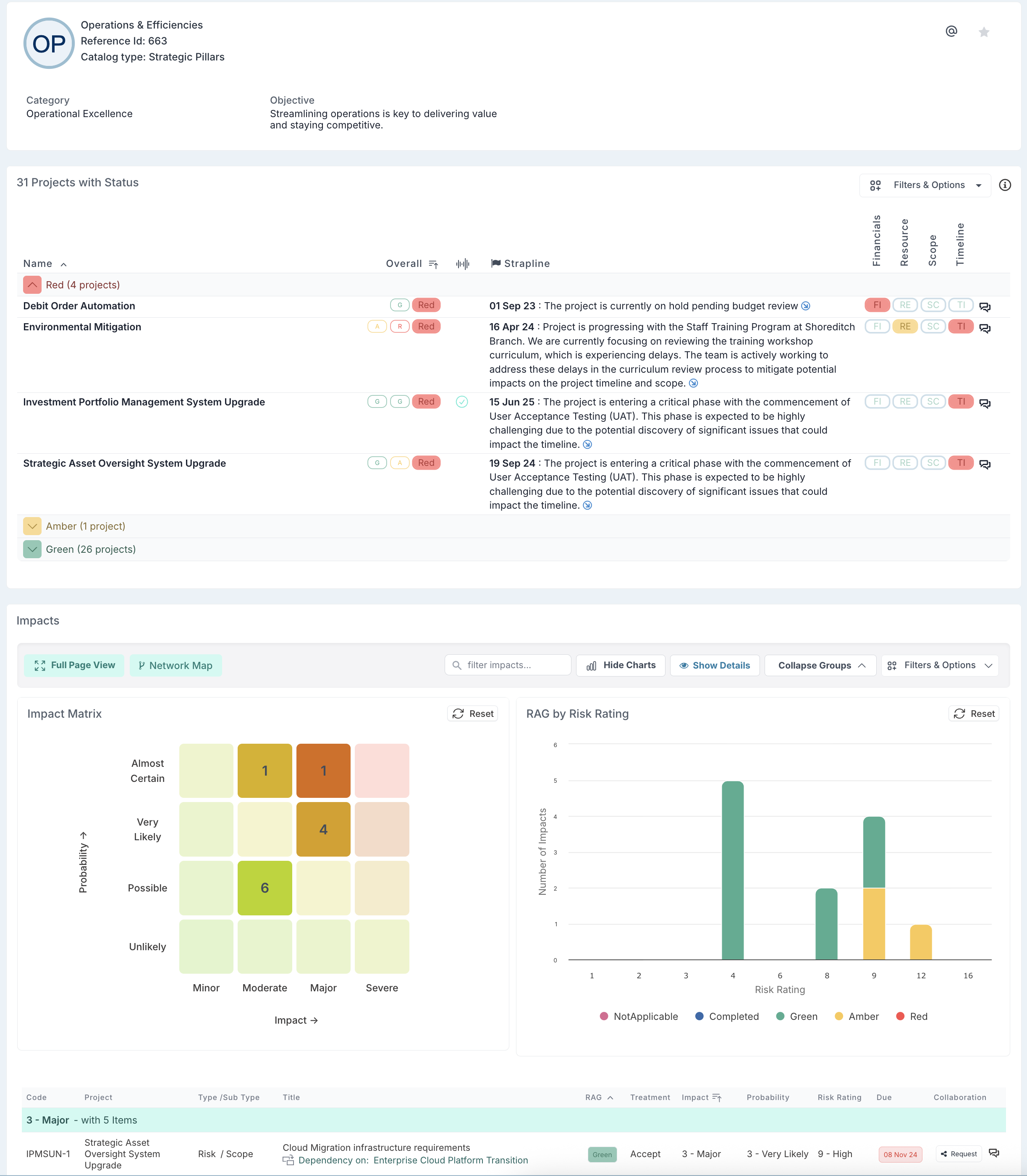
Why use catalogs
Shared language – catalogs provide one centrally managed list per concept (e.g., the corporate application register). This ensures consistency across projects and prevents duplication or mismatched naming conventions, giving portfolio managers a reliable view.
Richer context – each catalog item carries structured information such as licence start and end dates, system owner, vendor, or risk tier. When you tag a project, resource, or impact with that item, these details automatically surface, eliminating the need for manual data entry.
Better decisions – linking projects to the same catalog item makes dependencies and overlaps visible. For example, if two projects affect the same business application or vendor, you can quickly identify potential conflicts or opportunities to coordinate delivery.
Cleaner reporting – because all records draw from the same authoritative lists, portfolio reports can be filtered, grouped, and tracked overtime by catalog values. This gives executives and PMOs a clear, standardised basis for analysis.
Impact analysis – when a catalog item changes (e.g., an application is retired, a supplier contract expires, or a strategic driver is re-prioritised), the links across projects and impacts make it easy to anticipate consequences, assess risks, and prioritise responses.
Catalog examples
Applications register – maintain a complete catalog of business applications with key attributes such as licence start and end dates, vendor information, system owner, etc. Projects can then be tagged against the applications they implement, upgrade, or retire, giving visibility of potential conflicts and dependencies.
Strategic drivers / pillars – define organisational drivers (e.g., Growth, Customer Experience, Sustainability) and tag projects to show their alignment. This enables portfolio‑level reporting on how investments contribute to strategy.
KPIs – create catalogs of key performance indicators such as Customer Satisfaction, On‑Time Delivery, or Revenue Growth. Projects can be tagged to the KPIs they are expected to influence, providing a line of sight between delivery and measurable outcomes.
Offices and locations – record organisational sites including details such as country, region, address, site lead, occupancy dates, and strategic importance. Projects like office moves, refurbishments, or technology roll‑outs can be tagged against the impacted locations for better planning.
Vendors and suppliers – manage supplier records with information such as contract start and end dates, account manager, service tier, risk assessment, and compliance status. Tagging projects against vendors highlights which initiatives depend on each supplier and supports vendor performance reviews.
Capabilities / functions – capture business capabilities or functions (e.g., Finance, HR, Data Analytics) with their attributes, and link projects to the capabilities they enhance or rely on. This helps in capability mapping and identifying gaps.