
What Is the Relationship Between Phase Tasks and Timesheet Activities for Time Booking?
Question: How do we configure and use timesheet activities for resources to capture time and ensure that the time booked is capitalized correctly?
Answer: To ensure that resources capture their work accurately—and that the system correctly applies Capex or Opex treatment—timesheet activities must be configured in two key areas. These configurations work together to ensure that all time booked is classified and capitalized correctly.
1. Activity Types & Project Sub-Activities (Timesheet Activities)
Activity types and project sub-activities are used specifically for timesheet entry at the task or activity level.
Activity Types (Global Activities)
These form a standardised list of activities for all timesheet entries and are configured from the Metadata Management page.
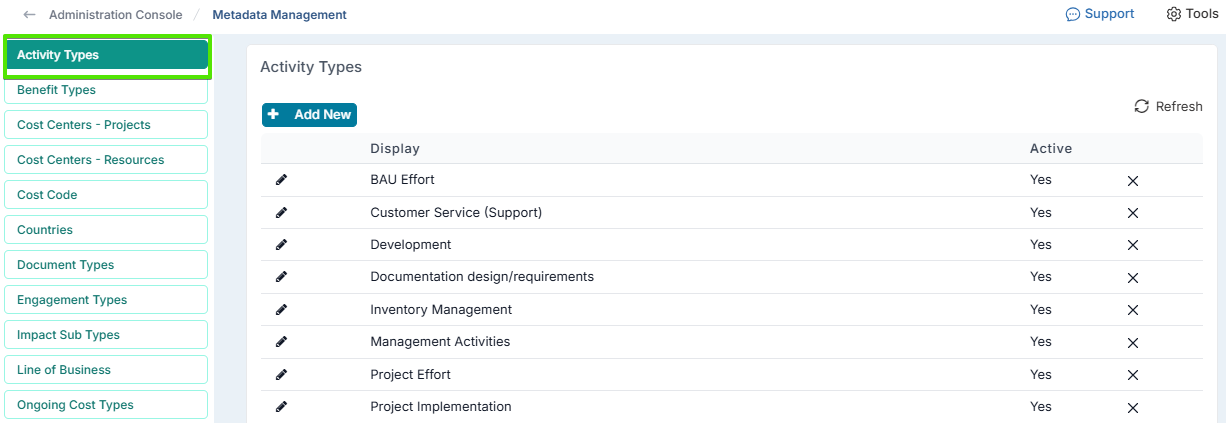
They are used when time is booked without reference to a project type.
Example: Project Effort, Meetings, Training.
Project Sub-Activities
These allow you to define project-specific activity lists based on the project type and are configured from the Project Types admin page.
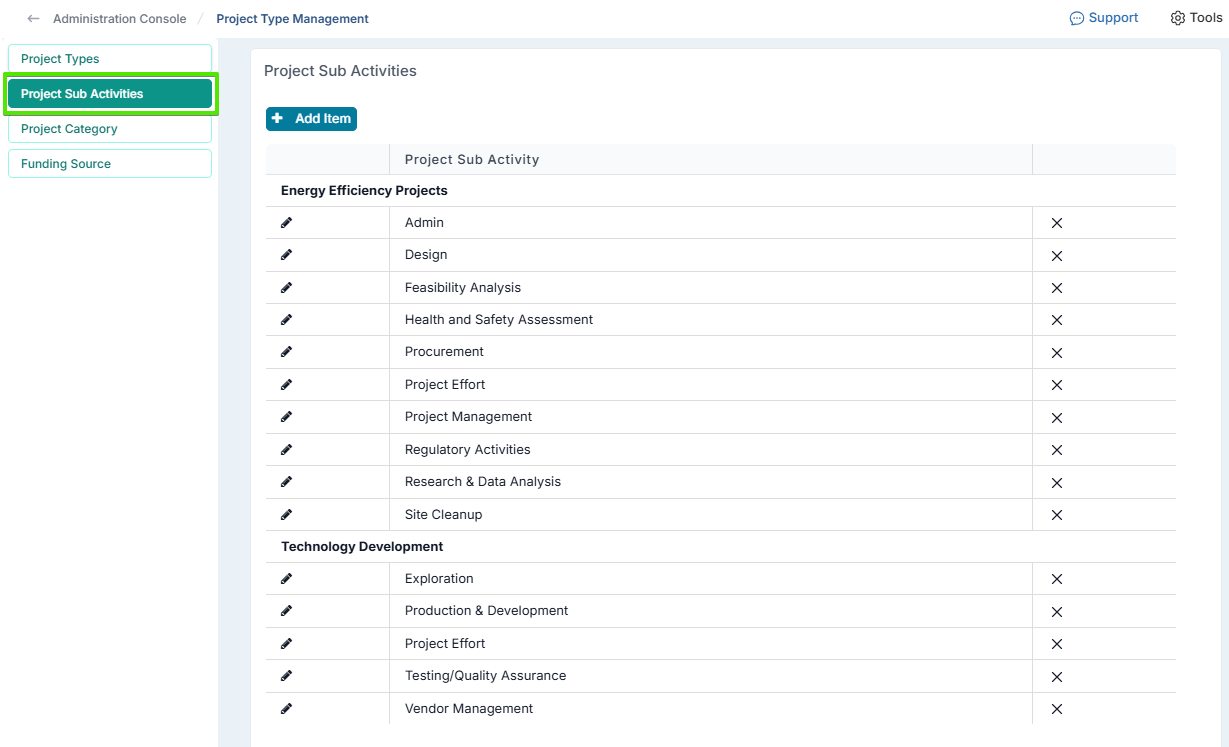
When a user logs time on a project, the system displays the relevant sub-activities automatically.
Example:
BAU Project → “Support”, “Maintenance”
IT Project → “Analysis”, “Development”, “Testing”
2. Phase Tasks (Capex Applicability)
Phase tasks serve a different purpose. They determine which types of work are eligible for Capex during each phase of a project and are configured in the Methodology Phases & Tasks admin page.
In other words, they control whether time booked should be capitalized or treated as Opex.
Example: if you're working on an IT Development Project, you would set up the sub-activities and matching phase tasks that need to be capitalized.
Sub‑activities: Analysis, Development, Testing
Phase tasks:
Analysis (Capex)
Development (Capex)
Testing (Capex)
Outcome: Time booked to “Development” during “Execute/Iterate” phase is capitalized.
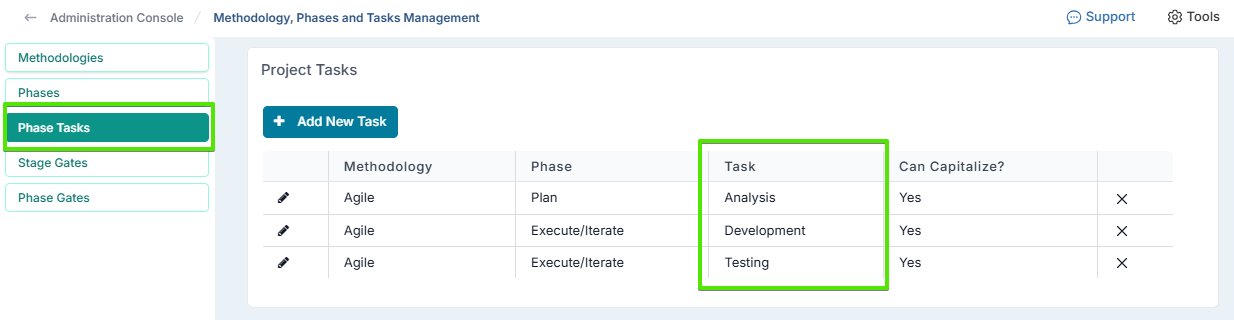
Because of this, the phase tasks must be configured in the same way as your project sub-activities or your global activity types in Metadata Management. This ensures that when users book time, the system can correctly identify the activity and apply the correct Capex/Opex logic.
If the phase tasks are not set up consistently with sub-activities or activity types, the system cannot match them correctly. When this happens, the activity defaults to Opex, even if the work should have been capitalized.