Referencing Person First‑Class Properties in Lookup Expressions
When creating Custom Properties that look up values from a Person or Resource record, it is essential to use the correct field keys. Lookup expressions rely on internal, code‑level keys, not the friendly labels shown in the UI. Using an incorrect field name will cause your lookup to fail or return empty results.
This article explains which field names (keys) are supported and how to use them correctly.
Why the Field Name Matters
Lookup expressions are parsed by backend code that matches specific string keys, such as:
engagementtyperatecardreference
These keys are not the same as the human‑readable UI labels (e.g., Engagement Type).
If you reference the UI label instead of the field key, the expression will not match anything.
Required Format for Field Keys
1. Use the Field Key, Not the UI Label
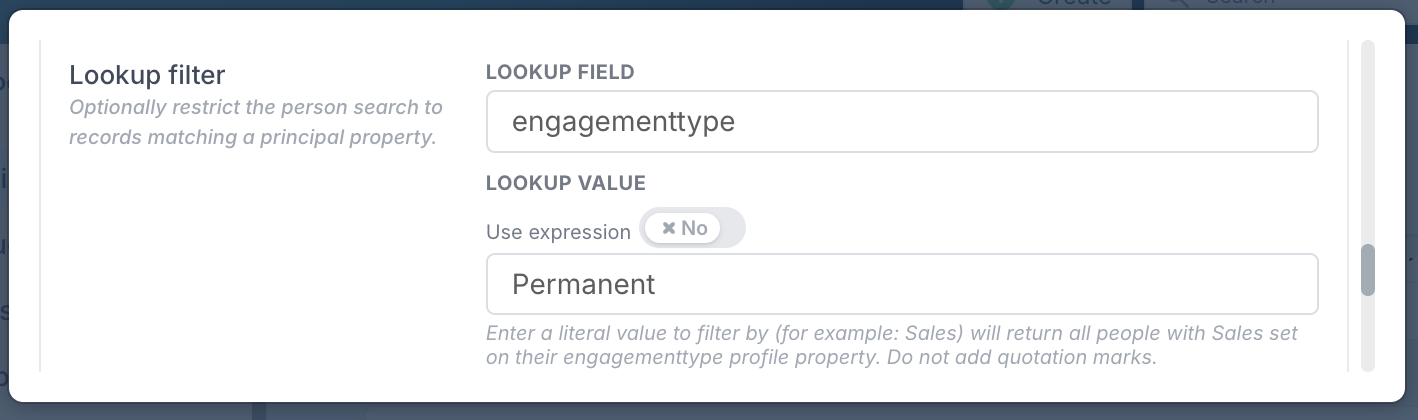
✔️ Use:engagementtype
❌ Do not use:Engagement Type
2. Case‑Insensitive, No Spaces
Lookup matching is case‑insensitive, so the following are equivalent:
engagementtypeEngagementTypeENGAGEMENTTYPE
However, spaces are not supported, so:
❌ Engagement Type will not match.
Recommendation:
Always use lowercase, no‑space keys: engagementtype
Supported Person/Resource Field Keys
When configuring a Custom Property to look up a value from a Person/Resource, the following keys are supported:
Property | Field Key (use this) |
Cost centre |
|
Engagement Type | engagementtype |
Region / Location | location |
Country | country |
Rate Card | ratecard |
Role | profilerole |
Reference | reference |
Example