
Protected Document Workflow in Stage Gate Approvals
When your organisation uses stage gates with approval workflows, documents often play a central role — business cases, design specifications, risk assessments, and other files are uploaded as part of the approval process.
The Protected Document Workflow feature ensures that these documents are preserved, versioned, and protected throughout the approval lifecycle.
This article explains how document protection works, what happens to documents when a stage gate is restarted and re-submitted, and how version history is maintained.
What Is the Protected Document Workflow?
The Protected Document Workflow is an optional feature that, when enabled by project administrators, provides additional safeguards for documents involved in project approval workflows:
✅ Documents uploaded as part of an approval action are marked as protected
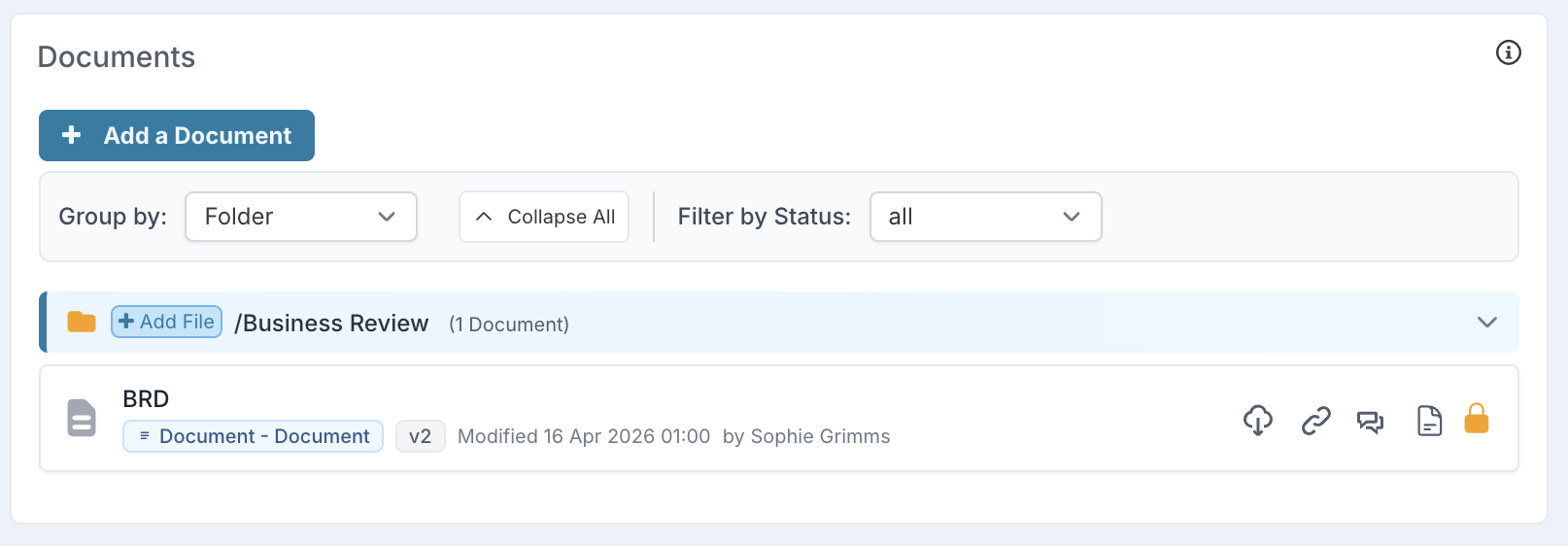
✅ Protected documents cannot be deleted by any user
✅ Only the description of the protected document can be changed, all other metadata are read-only.
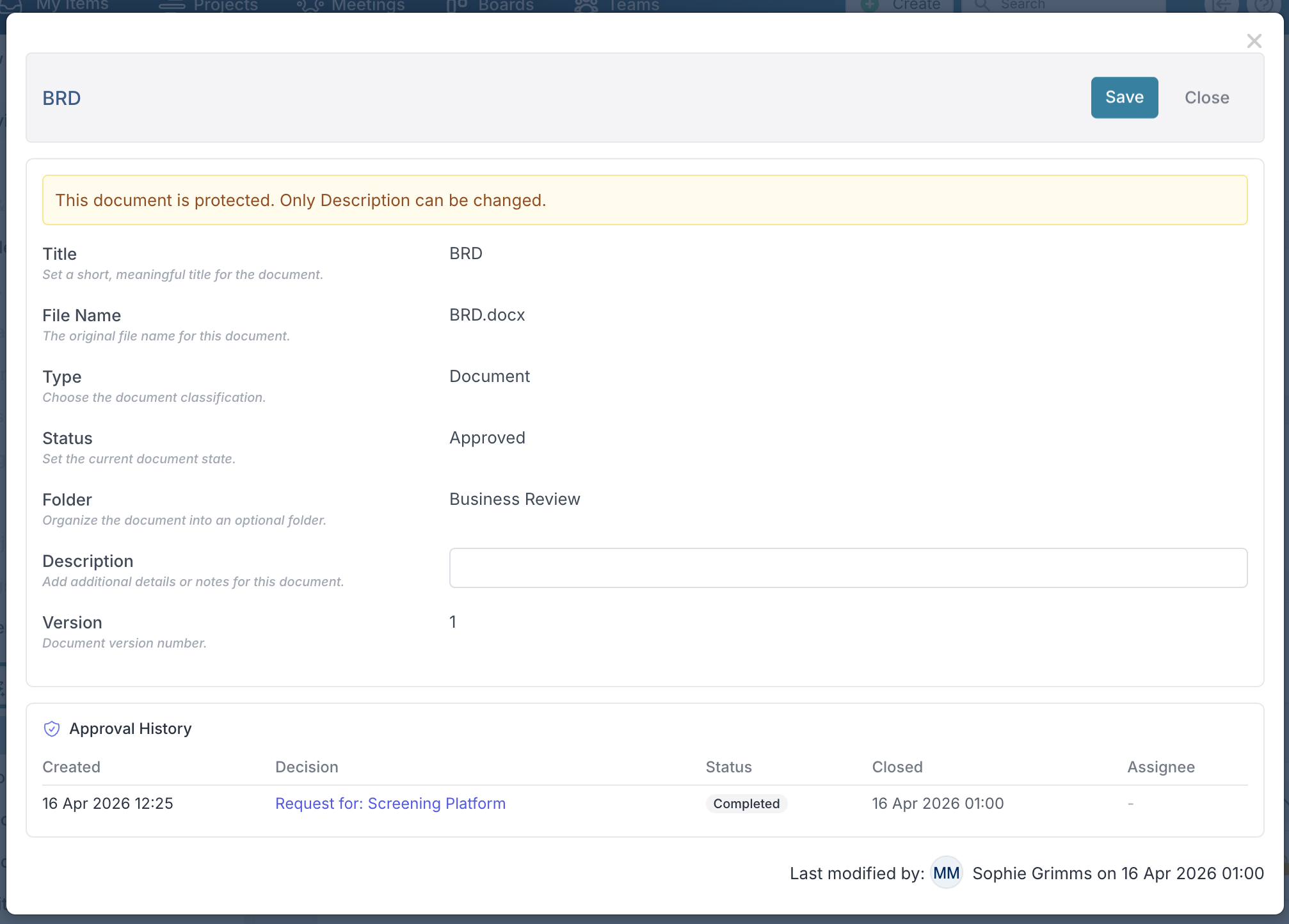
Note: This feature is controlled by a system-wide feature flag called Protect Documents in project approval workflows (found in the Project Workflow feature group on the Setup Feature page). When this feature is turned off, documents behave normally.
How Documents Are Synced to Projects
When a stage gate uses an approval workflow (e.g., a process board), the typical flow is:
1. User uploads documents to the approval action (task card)
         ↓
2. The action progresses through the approval workflow
         ↓
3. When the action reaches the designated sync point,
   documents are copied from the action to the project
         ↓
4. Documents now appear on the project record
What Gets Synced
All documents attached to the approval action are copied to the project's document folder.
Each synced document retains a link back to its original source, so the system can track which action it came from.
Documents are matched by their source property key — this means the system knows which specific upload field (custom property) the document relates to, even if multiple document fields exist on the same action.