
How do I enable inline editing and keyboard shortcuts in the Schedule?
Question: How do I enable and use inline editing and keyboard shortcuts in the Schedule?
Answer: You can edit your Gantt chart using keyboard shortcuts to make navigating and adjusting your schedule easier.
Step-by-Step Instructions
1. Access your project workspace and click the Edit Gantt button.

2. In the top-right menu of the project filters, click the Editor button and enable the Keyboard Control toggle. Confirm the changes by clicking Done.
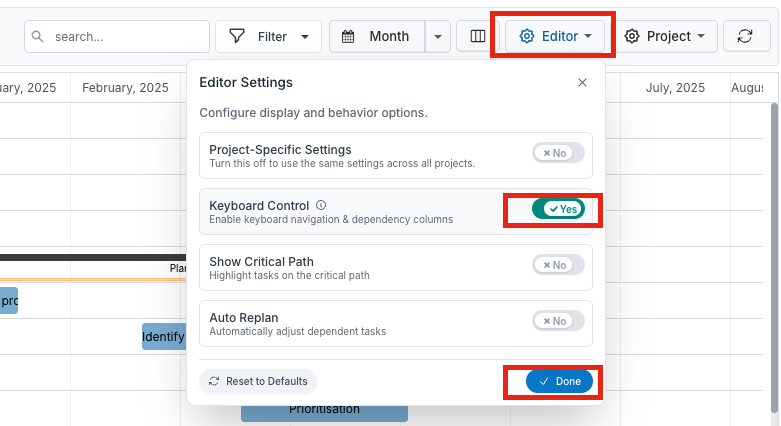
3. Use your keyboard to navigate your project schedule. Here are the shortcuts available for each command:
Arrow keys: Navigate tasks and fields
Page Up / Down: Jump to first or last task
Space: Select a row
Enter: Save edits
Shift + Enter: Open selected task
Ctrl + Enter: Create a new task
Ctrl + Z / Ctrl + R: Undo / Redo
Ctrl + Left / Right: Collapse or expand task hierarchy
Shift + Left / Right: Outdent or indent tasks
Ctrl + Up / Down: Move selected task up or down
Ctrl + Shift + E: Expand or collapse all
Escape: Focus on grid or close dialogs
F1 or Ctrl + ?: Open help