
Working with Zero Duration Milestones
Fluid's Gantt Editor supports zero duration milestones, aligning with the auto-scheduled milestone behaviour familiar to Microsoft Project users. This means milestones that represent a single point in time — rather than a span of days — are now handled correctly within your project schedule, ensuring accurate date calculations and visual rendering on the Gantt chart.
This article explains what zero duration milestones are, how they behave in Fluid, and what to expect when working with predecessor relationships.
What is a Zero Duration Milestone?
A milestone is a schedule item used to mark a significant point or achievement in your project. Unlike a regular task, a milestone has no duration — it does not span a period of time, but instead represents a single moment.
In Fluid, zero duration milestones are rendered on the Gantt chart based on their predecessor relationships. The way a milestone is positioned depends on whether it has predecessors and, if so, what type of lag is applied to those predecessors.
Enabling Zero Duration Milestones
You can control Zero Duration Milestones at both the application level and the project level.
Application default
Project administrators can decide whether new project schedules use Zero Duration Milestones by default. To do this, go to Administration Console > Setup Project Features and set Zero Duration Milestones to Yes or No.

Project-level override
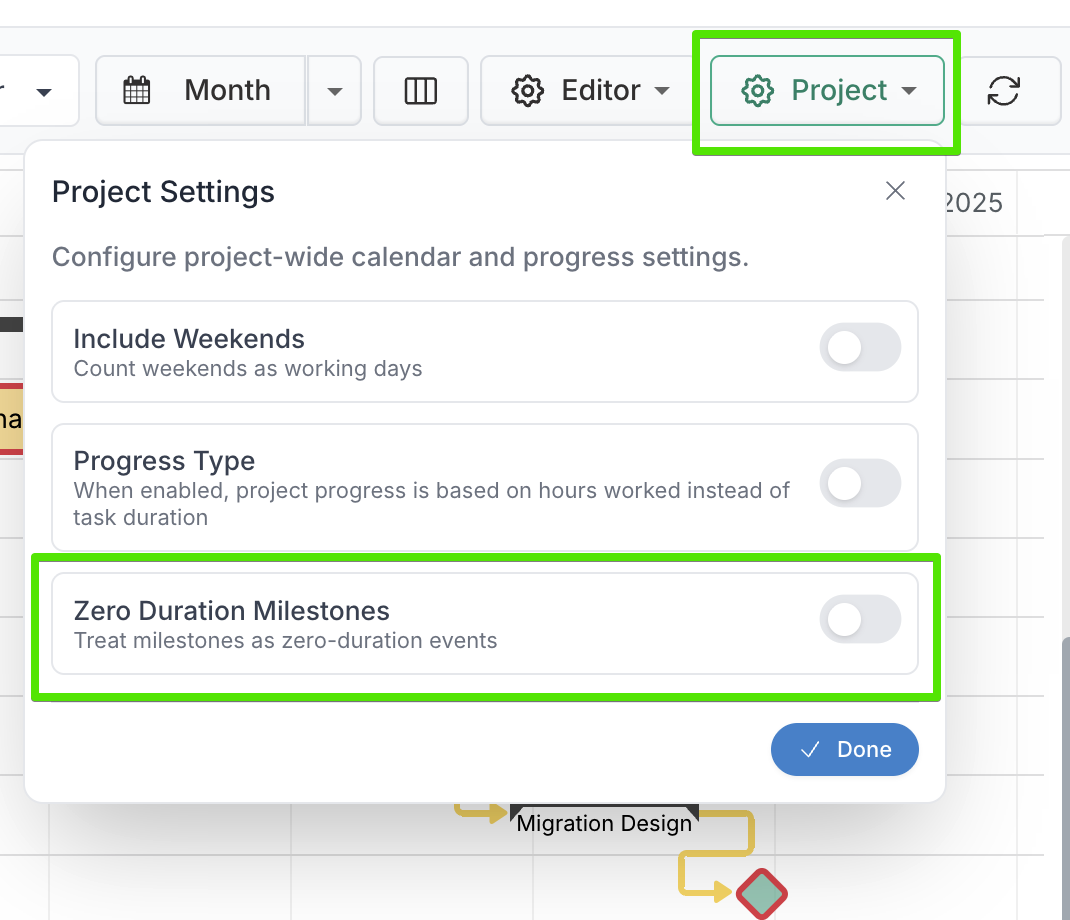
Project managers can override the default for an individual project. In the Gantt Editor, select the Project setting and turn Zero Duration Milestones on or off as needed.
How Milestones are Rendered
Fluid determines how to position a zero duration milestone on the Gantt timeline by examining its predecessor links. There are three behaviours to be aware of:
1. Start Milestone (No Predecessors)
If a milestone has no predecessor tasks linked to it, Fluid treats it as a Start Milestone. It will be rendered at the very beginning of its scheduled day — at 00:00:00 (midnight).
This is useful for milestones that represent the start of a project or phase, where no prior task needs to complete before the milestone is reached.
Example: A "Project Kick-off" milestone with no dependencies will appear at the start of its scheduled date.
2. End Milestone (Zero or Positive Lag Predecessor)
If a milestone has a predecessor with a zero or positive lag, Fluid treats it as an End Milestone. It will be rendered at the very end of the predecessor task's finish date — at 23:59:59 (one second before midnight).
This ensures the milestone visually and logically falls at the conclusion of the preceding work, accurately reflecting that the milestone is achieved once the predecessor task is complete.
Example: A "Phase 1 Complete" milestone linked to the last task in a phase with a lag of 0 days will appear at the end of that task's finish date.
A positive lag works in the same way — the milestone is still treated as an end milestone and rendered at 23:59:59 of the calculated finish date, accounting for the lag days added after the predecessor completes.
Example: A "Sign-off" milestone with a predecessor set to FS+2 (Finish-to-Start with 2 days lag) will appear at the end of the date that is 2 working days after the predecessor finishes.
3. Negative Lag Milestone
If a milestone has a predecessor with a negative lag, Fluid treats it as a Start Milestone and renders it at 00:00:00. The milestone date is calculated by applying the negative lag back from the predecessor's finish date.
This is used when a milestone must fall before the predecessor task completes — for example, a checkpoint that needs to occur a number of days prior to the end of a deliverable.
Example: A "Review Checkpoint" milestone linked to a task with a lag of -3 days will appear at midnight on the date that is 3 working days before the predecessor's finish date.
Summary of Milestone Rendering Behaviour
Predecessor Relationship | Milestone Type | Rendered At |
|---|---|---|
No predecessors | Start Milestone | 00:00:00 (start of day) |
Predecessor with zero lag (FS+0) | End Milestone | 23:59:59 (end of day) |
Predecessor with positive lag | End Milestone | 23:59:59 (end of lag date) |
Predecessor with negative lag | Start Milestone | 00:00:00 (start of lag date) |
Things to Note
The start and end of day rendering (00:00:00 and 23:59:59) is used internally for accurate scheduling calculations and does not affect the date displayed to users on the Gantt chart — milestones will continue to display their scheduled date in the configured date format.
If a milestone has multiple predecessors, the rendering behaviour is determined by the predecessor relationship that drives the latest calculated date.
Lag values are calculated in working days by default, respecting the project's weekend exclusion settings.