
Enforcing Strict Status Reporting
Strict Status Reporting helps organisations improve the quality, consistency, and control of project status reporting.
When enabled, it applies tighter rules to how status reports are completed and maintained. Project Managers can only update reports with a status date of today or in the future, which helps prevent retrospective changes to previously submitted reporting periods. It also makes key reporting fields mandatory, ensuring that each report contains the minimum level of information needed for effective review and oversight.
This feature is designed for organisations that want to strengthen reporting discipline, support better governance, and ensure status updates are both timely and complete.
Enabling Strict Status Reporting
The Strict Status Reporting feature is controlled by a feature flag in the Project Health group on the Setup Project Features page
(Administration → Setup Project Features).
To change this setting, you must be an Application Administrator or Project Administrator.
By default, Strict Status Reporting is turned off. This means users can update status reports regardless of the report date, including reports dated in the past, provided they have the appropriate project permissions. The additional validation rules are also not enforced, so only the standard required fields apply.
How Strict Status Reporting works
When Strict Status Reporting is enabled, it controls both when a status report can be edited and what information must be completed.
Status report date rules
Project Managers can only edit status reports where the report date is:
today, or
in the future
Status reports dated in the past cannot be updated by Project Managers.
Project Administrators can still edit status reports regardless of the report date.
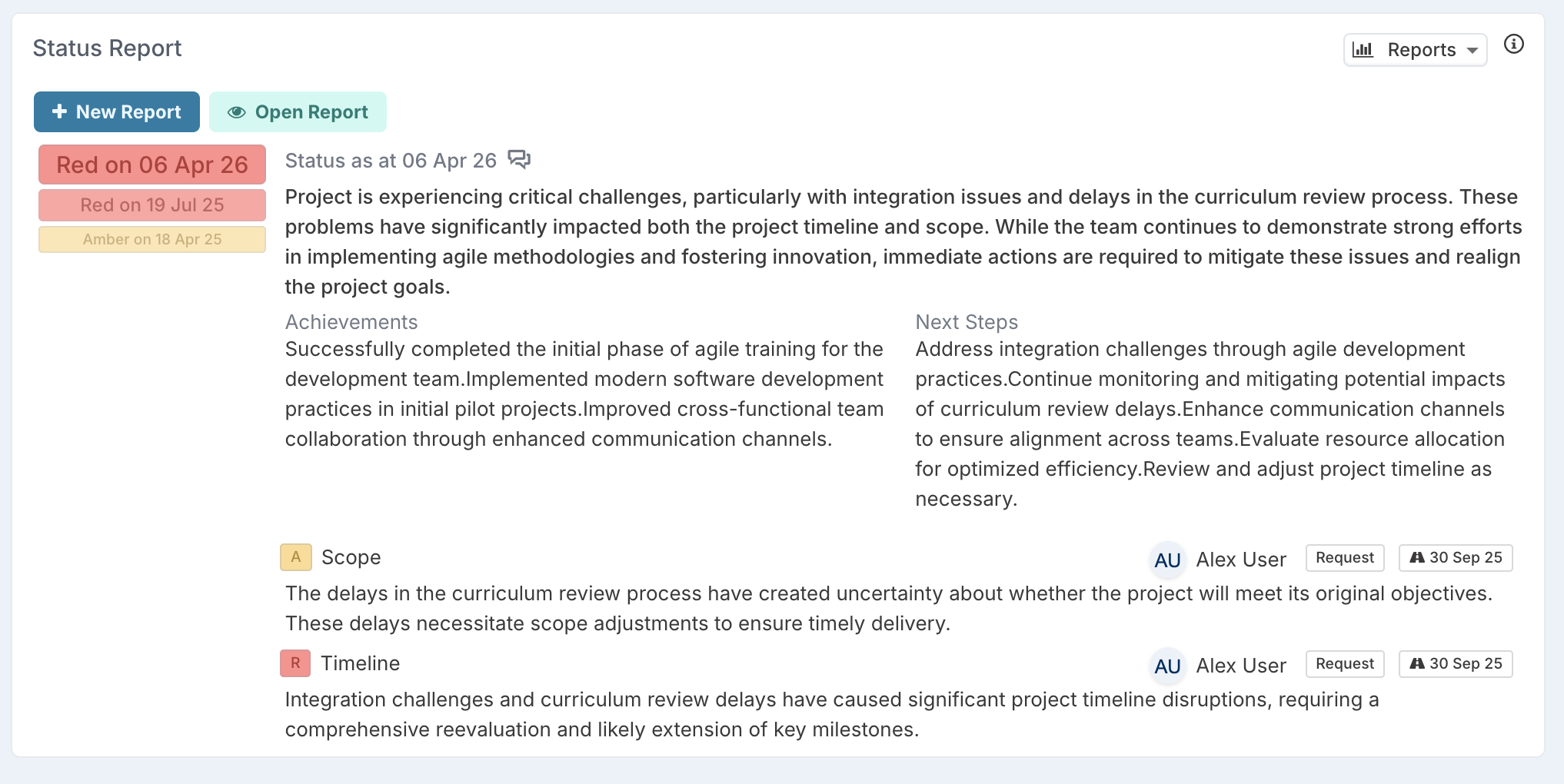
This means that when a user selects Open Report:
a Project Manager opening a past-dated report will see the read-only view
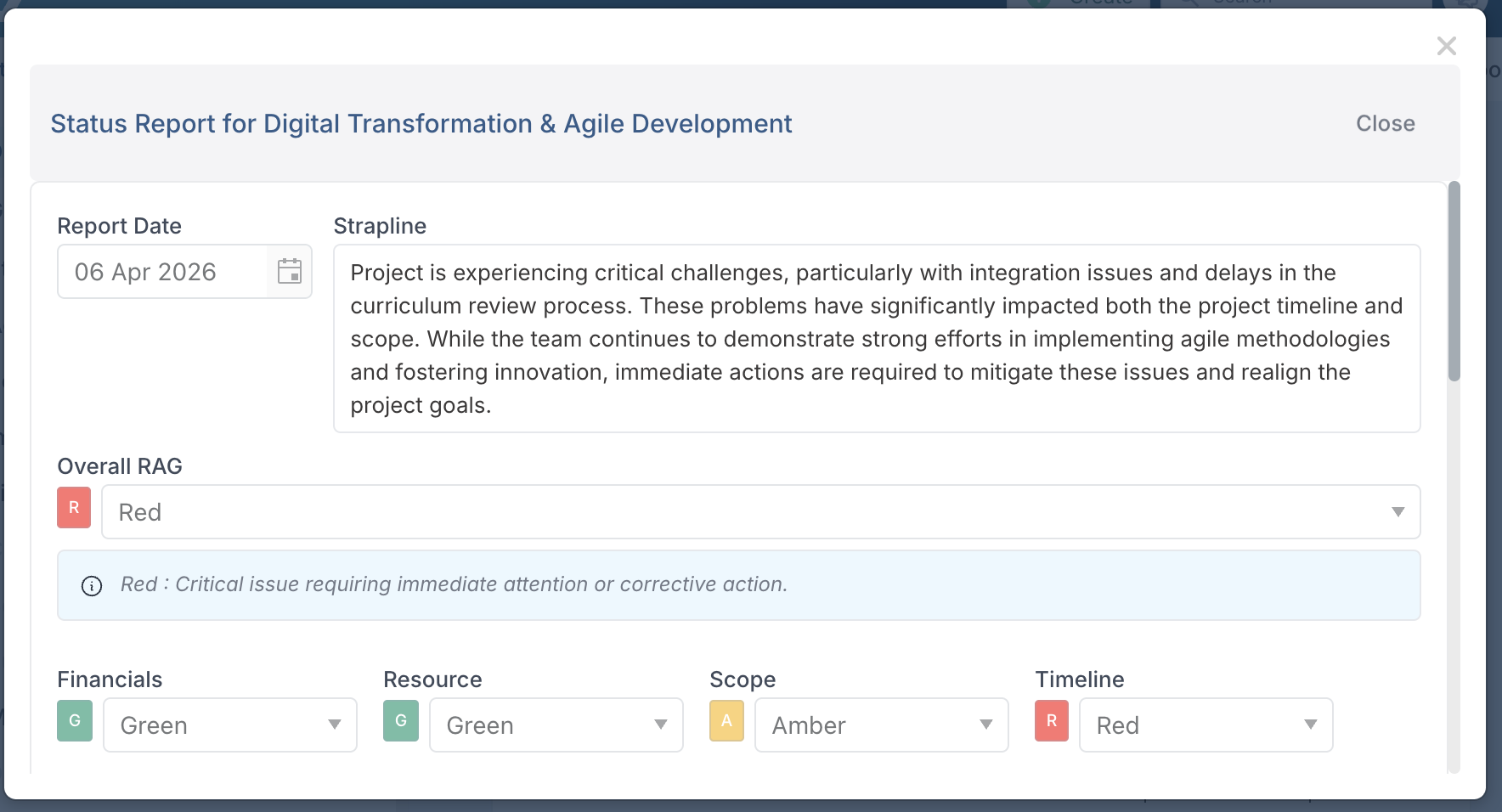
a Project Administrator opening that same report will see the edit view
if the report date is today or in the future, both users can open the report in edit mode
This helps preserve the integrity of historical reporting periods while still allowing administrators to make changes where required.
Mandatory fields
When completing a status report, the following fields are mandatory:
Strapline
Achievements
Next Steps
If any of these fields are left empty, the status report cannot be saved.
For rich text fields such as Achievements and Next Steps, the field must contain actual text content. Empty formatting or blank HTML content is not treated as valid input.
Bulk edit
Bulk update applies the same rules as editing a status report individually.
With Strict Status Reporting enabled:
Project Managers can only bulk update reports dated today or in the future
reports dated in the past cannot be bulk updated by Project Managers
each report must still meet the required field rules for Strapline, Achievements, and Next Steps
Project Administrators can bulk update past-dated reports if needed
This ensures that bulk edit cannot be used to bypass the reporting controls applied on the status report form.
What users will experience
With Strict Status Reporting enabled, users will notice two main changes.
First, edit access depends on the report date and the user’s role. Past-dated reports are no longer editable by Project Managers, while Project Administrators retain access.
Second, status reports must contain the minimum required information before they can be saved. This helps ensure reports are more complete and more consistent across projects.
In practice, this means historical reports are protected from retrospective updates, while current and future reports continue to support active reporting.
When to use this feature
Strict Status Reporting is useful for organisations that want to:
improve reporting discipline
prevent changes to past reporting periods
ensure status reports include the minimum required content
support stronger governance and auditability