
Project Applicability on Stage Gates
When setting up a stage gate in your methodology, Project Applicability lets you control which projects the gate appears on. Since projects in Fluid can be organised in parent-child hierarchies, not every gate is relevant to every project. This setting ensures teams only see the gates that apply to them.
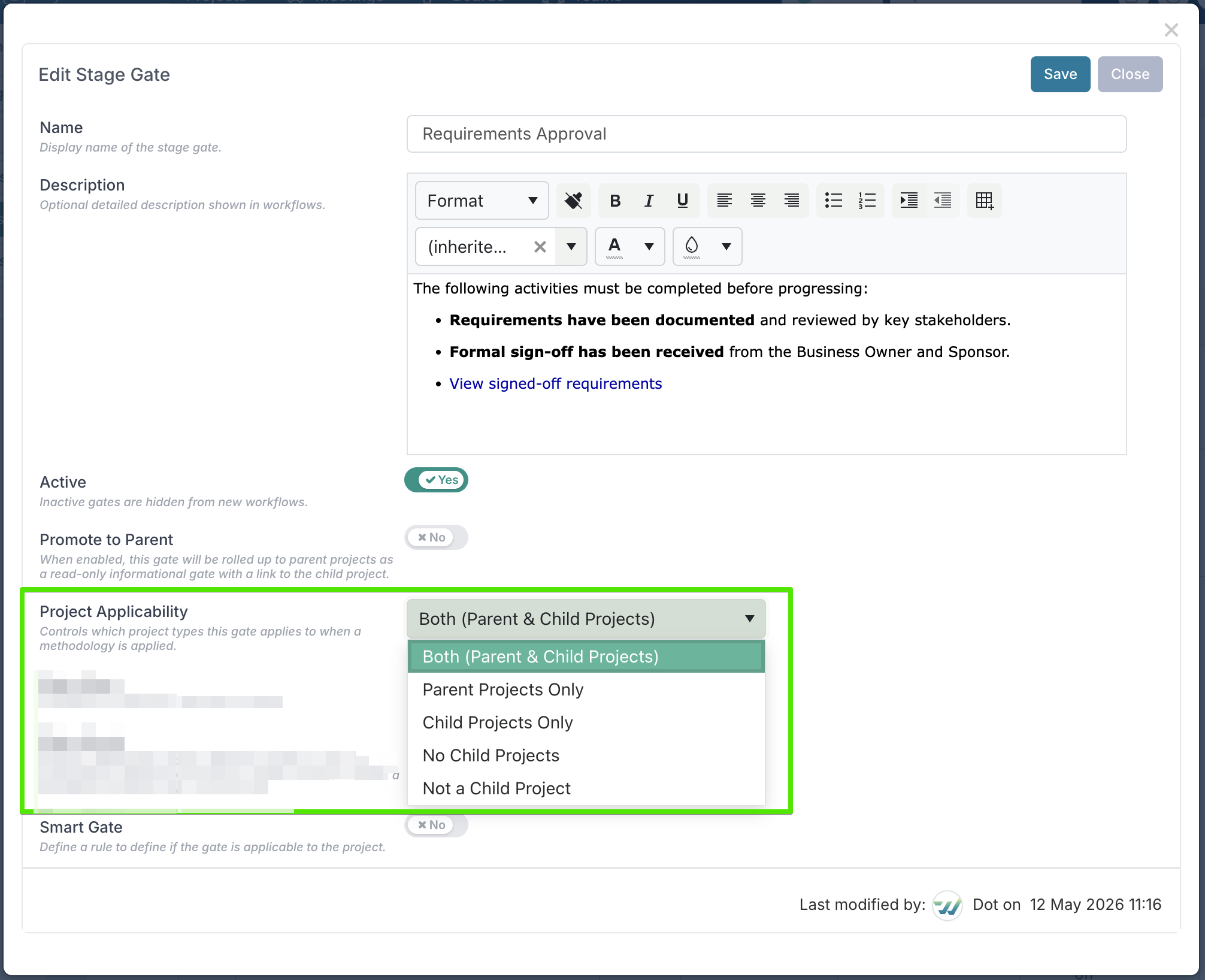
The options explained
Option | What it means | Equivalent expression |
Both (Parent & Child Projects) | The gate applies to all projects regardless of their position in the hierarchy. This is the default. | true |
Parent Projects Only | The gate only appears on projects that have child projects beneath them. Use this for programme-level gates such as consolidated reporting or portfolio reviews. | HasChildProjects = true |
Child Projects Only | The gate only appears on projects that are children of another project. Use this for delivery-level gates that don't apply to the overarching programme. | IsChildProject = true |
No Child Projects | The gate only appears on projects that do not have any child projects. This includes standalone projects and leaf-level children. | HasChildProjects = false |
Not a Child Project | The gate appears on any project that is not a child — meaning standalone projects and parent projects. Use this when a gate applies at the top level but should be skipped by sub-projects. | IsChildProject = false |
A common question
What's the difference between "Parent Projects Only" and "Not a Child Project"?
Parent Projects Only – the project must have children. A standalone project with no hierarchy won't see this gate.
Not a Child Project – the project just needs to be top-level. It could be standalone or a parent.