User roles: ✔ Application Administrator ✔ Project Administrator
The Project Labels & Field Names page allows you to customise the terminology used within the Projects module, aligning it with your organisation's unique language. On this page, you can change the names of different parts of the Projects module to match the words your team uses every day. This means you can call each field by a name that makes sense in your company. It is all about making the software easier and more straightforward for everyone in your team to use.
To access the Project Labels & Field Names page, navigate to the Administration Console from the drop-down menu under your Avatar.
From the Administration Console, navigate to the Project Settings section of the page and select Project Labels & Field Names.
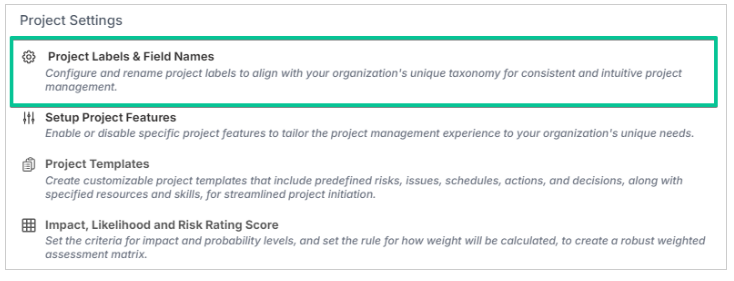
Status report and impact settings are configured on their own pages under Administration Console > Project Settings:
Status Report Settings: status report frequency, Strapline and Executive Summary labels, primary status component RAGs, status report instructions and the component commentary placeholder. See Configure the Strapline and Executive Summary on Status Reports.
Impact Settings: the Impact, Probability and Risk Rating field names and the enabled impact types. See Impact, Probability & Risk Rating Configuration.
Project Setup Fields
The Project Labels & Field Names page allows you to rename the following fields.
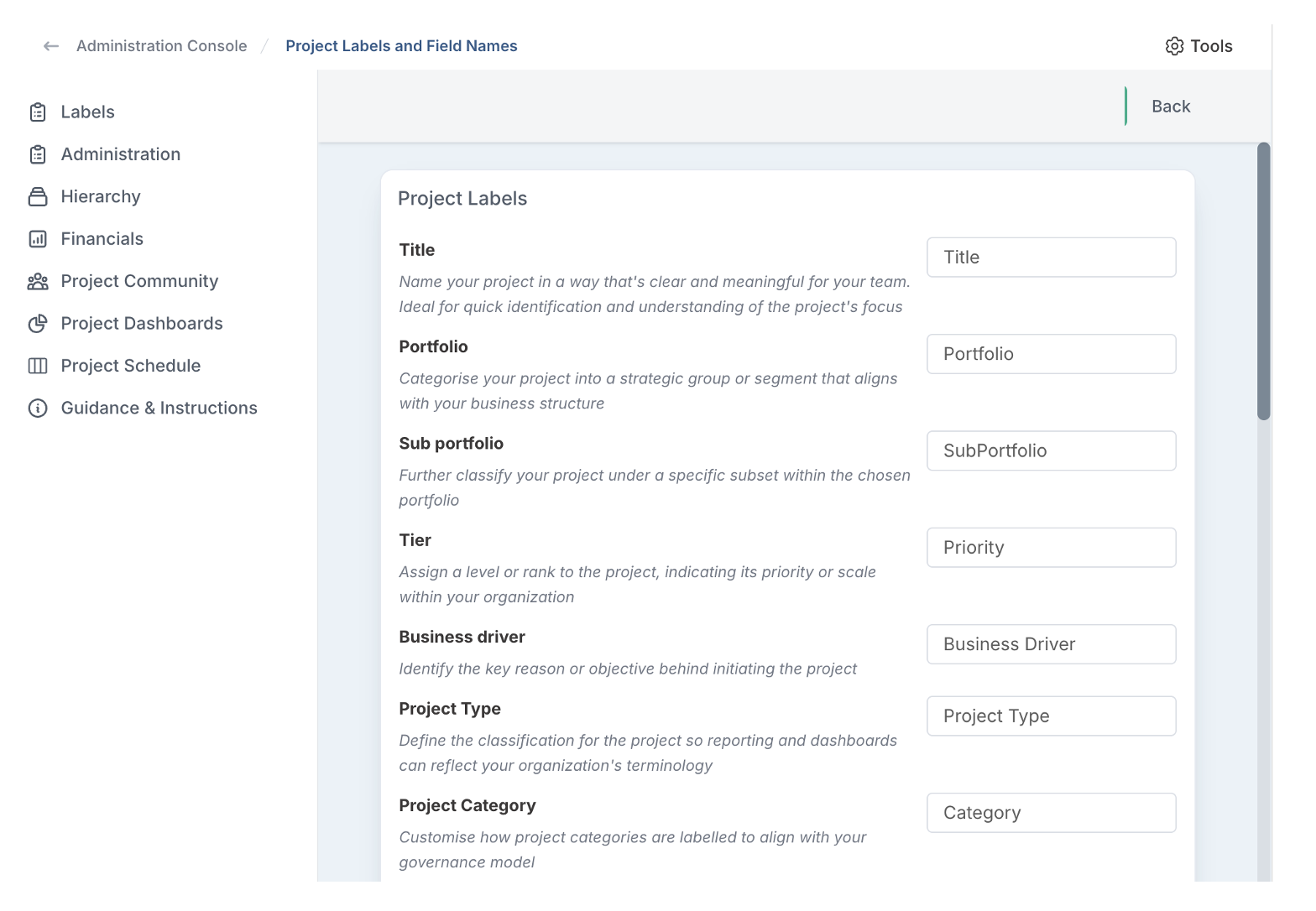
The table below lists the fields that can be customised and what they are used for.
Fluid Field | What is the field used to represent? |
Project | |
Title | Name your project in a way that's clear and meaningful for your team. Ideal for quick identification and understanding of the project's focus. |
Portfolio | Categorise your project into a strategic group or segment that aligns with your business structure. |
Sub portfolio | Further classify your project under a specific subset within the chosen portfolio. |
Tier | Assign a level or rank to the project, indicating its priority or scale within your organisation. |
Business Driver | Identify the key reason or objective behind initiating the project. |
Project Type | Define the classification for the project so reporting and dashboards can reflect your organisation's terminology. |
Project Category | Customise how project categories are labelled to align with your governance model. |
Proposed solution | Briefly outline the intended approach or solution the project aims to deliver. |
Description | Control how the primary narrative field is labelled when capturing project overviews. |
Requirements | Set the terminology used when requesting key needs or scope for the project. |
Line of Business | Refers to the specific department or functional area within the organisation that the project is intended to benefit or is most closely aligned with. |
Implementation Date | Indicate the date the project was deployed or became operational. |
Project Administration | |
'External reference' label | A field for inputting a reference ID or code from external systems or documents related to the project. |
'Alternate External reference' label | An additional field for another external reference ID, offering a secondary linkage to external resources or systems. |
Project Reference Prefix | Prefix to be appended to the auto-generated project external reference. |
'Funding Source' label | Rename the funding source field to mirror how your organisation tracks budget origins. |
Project Hierarchy | |
Program | This field allows you to associate the project with a larger program, grouping it under a broader strategic initiative. |
Project Financials | |
Currency symbol | Symbol of the default currency used in the application. |
Cost Code | A field for entering a specific code that relates to the project’s budgeting and financial tracking. |
Financial Reference | A field to help identify each forecast and actual transaction for tracking and comparison. |
Invoice Number | Unique identifier for each actual transaction. |
Funding | The budget allocated to the project. |
Tranche Funding | Phased budget tied to project milestones or project stages. |
Project Community | |
Primary PM | Designate the main person responsible for managing and driving the project forward. |
Owner | Specify the individual accountable for the project’s success and overall outcomes. |
Executive | Name the executive-level stakeholder or sponsor overseeing the project. |
Business Owner | Identify the person who owns the business problem or opportunity the project addresses. |
Financial Reference | Help identify each resource allocation for detailed tracking and financial analysis. |
Project Dashboards | |
Default Watchlist Page | Set the initial project dashboard view for all users, with the option for users to customise their own default later on. Enter the relative URL path for the dashboard view, starting from /page (e.g., /page/schedule?projectstatus=active). |
Guidance & Instructions | |
Project Creation Instructions | Provide guidance/instructions for creating a project, such as naming conventions and initial setup. |
Program Creation Instructions | Provide guidance/instructions for setting up a program, including how to structure and align it with strategic objectives. |