Question:
What do the colors on schedule tasks mean?
Answer:
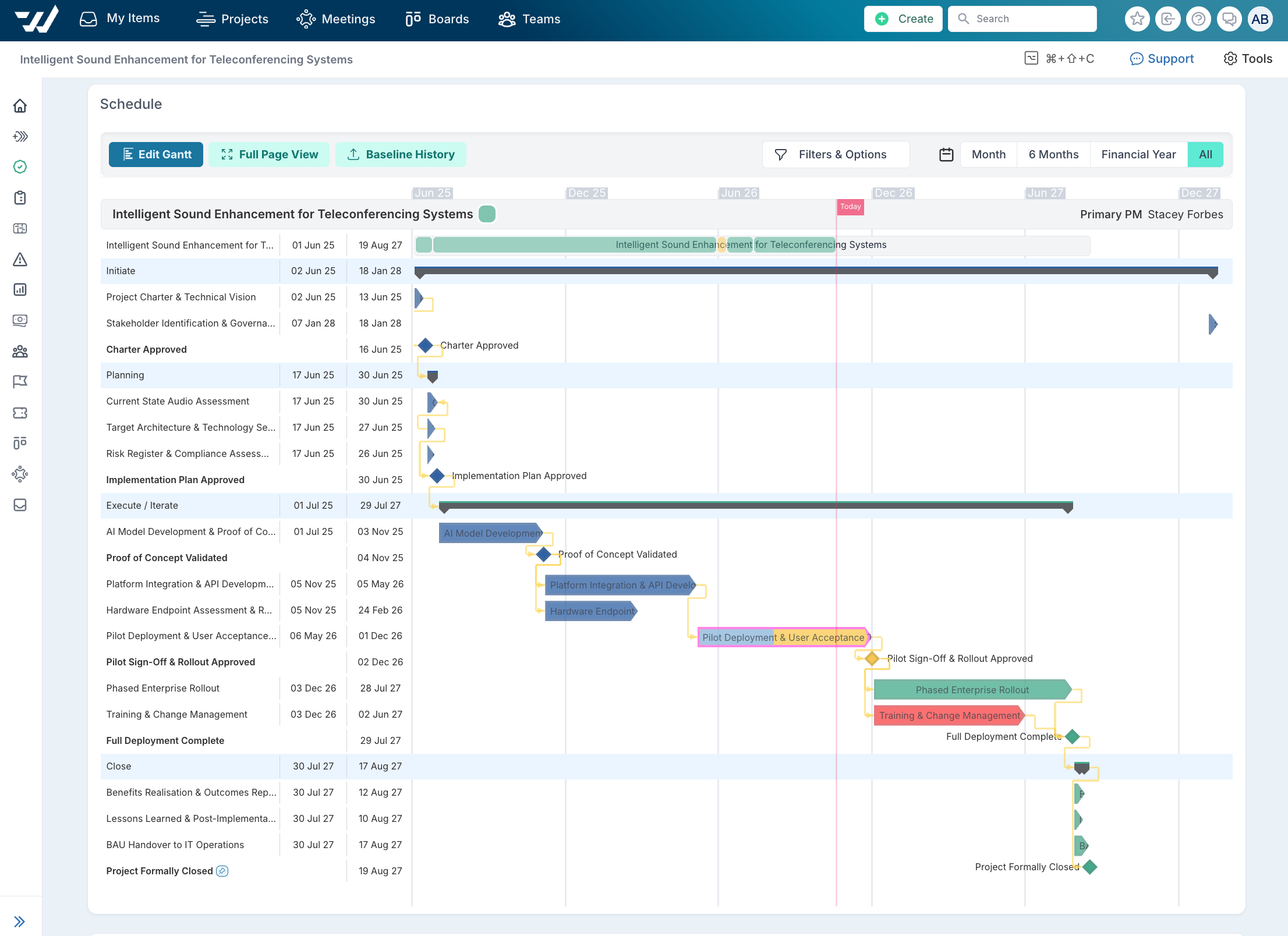
The status of items on the schedule are color coded for easy overview of the schedule performance. There is also the ability to hover over the task to show status and other details in a tool tip, or to show status in a column in a Gantt chart.
The fill color of a task shows the task's status.
The border color of the shape indicates the relationship between the current and planned date.
The dependency lines also use different colors depending on the type of relationship.
The task's type is denoted by the bar's shape.
Colour Key
Colour | Where you see it | What it means | Example |
|---|---|---|---|
Green | Task bar fill | RAG: on track - set by the user |
|
Amber | Task bar fill | RAG: at risk, needs attention - set by the user |
|
Red | Task bar fill | RAG: off track, needs action - set by the user |
|
Grey | Task bar fill | Status; on hold |
|
Blue | Task bar fill, from the left | The completed portion of the task |
|
Pink border | Around the task bar | Behind schedule: progress is less than expected for the time elapsed |
|
Red outline | Around the task bar | Overdue: the due date has passed and the task isn't complete |
|
Yellow line (between tasks) | Dependency links | (Open question for review: confirm meaning) |
|
Red line (between tasks) | Dependency links | Link between tasks on the critical path |
|
Purple line | Dependency links | Cross-project dependency |
|









