What is the Critical Path?
The critical path is the chain of tasks that sets the project’s finish date. If any task on that chain slips by even a day, the whole project finishes late. It also shows the shortest time the project can possibly take.
Slack
Slack is how long a task can slip before it causes a problem.
Free slack is how long a task can slip before it holds up the next task linked to it.
Total slack is how long a task can slip before it pushes back the end of the whole project.
A task with no total slack is critical. Fluid doesn’t show slack figures in the schedule. It uses them behind the scenes to decide which tasks to highlight.
How to Enable the Critical Path
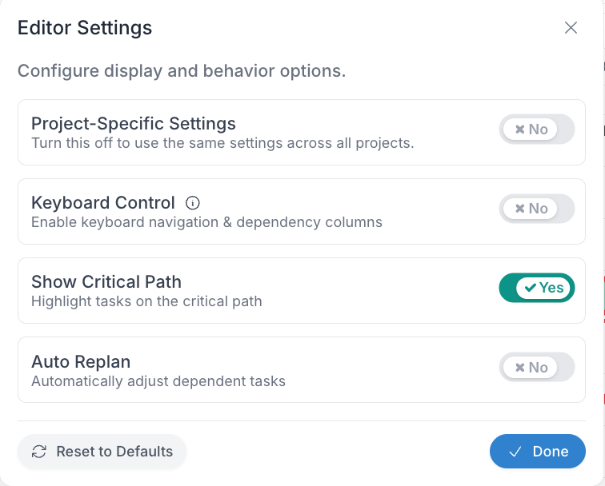
To enable the critical path feature, from the Gantt Editor:
Click the 'Editor' menu button
From the menu dialogue, enable 'Show Critical Path'
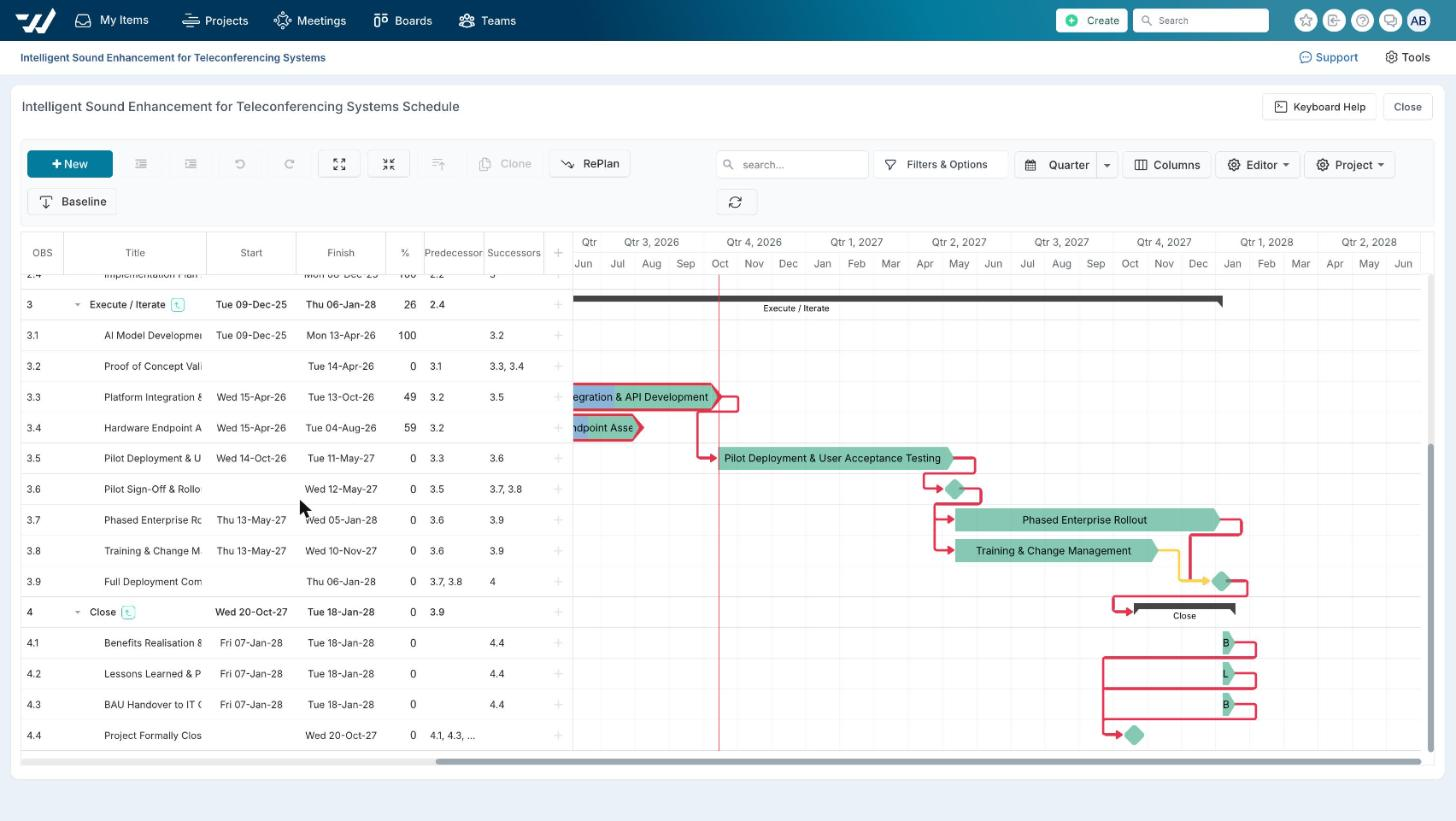
Critical Path - Visual Indicators
The dependency lines between critical tasks are highlighted in red, when the feature is enabled.
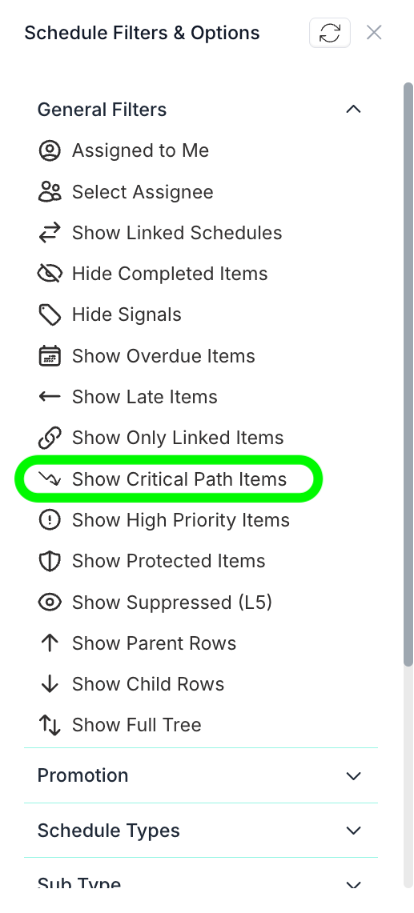
To see only the critical tasks, use Filters & Options > Show Critical Path Items.
How a Critical Task is Determined
It finishes last. The task with the latest end date in the plan is critical, because it decides when the project ends. If several tasks share the latest end date, they are all critical. This includes tasks with no dependency links: an unlinked task that finishes on the last date is critical and appears when you filter by critical path.
It leads straight into a critical task. If a task is linked to a critical task via dependencies, it’s critical too. The Gantt chart works backwards from the last task this way, so the chain builds up step by step.
Where weekends are not included in the schedule, any gaps between tasks are measured in working days, so a weekend between two tasks won’t count as a gap.
Critical Path Behaviours
Lag time between tasks: a planned lag time, such as “wait 1 day before starting the next task”, is accounted for and is not counted as 'slack'.
Tasks with no dependency links: a task with no successor link is measured against the project’s last finish date. If it finishes earlier, it isn’t critical, even if a delay could eventually push it past the end date. It only becomes critical once its due date reaches the last due date, and it won’t be flagged before then.
Finished tasks: tasks marked complete stay on the critical path and are still highlighted.
Automatic updates: the chart recalculates the critical path every time a task changes.