In this article you will learn how to extract a Project Benefit report that includes all benefits for a program/project and all its sub-projects.
Steps to how to extract a report showing project benefits for a whole program
Step 1. Navigate to the Schedule on the Project Workspace
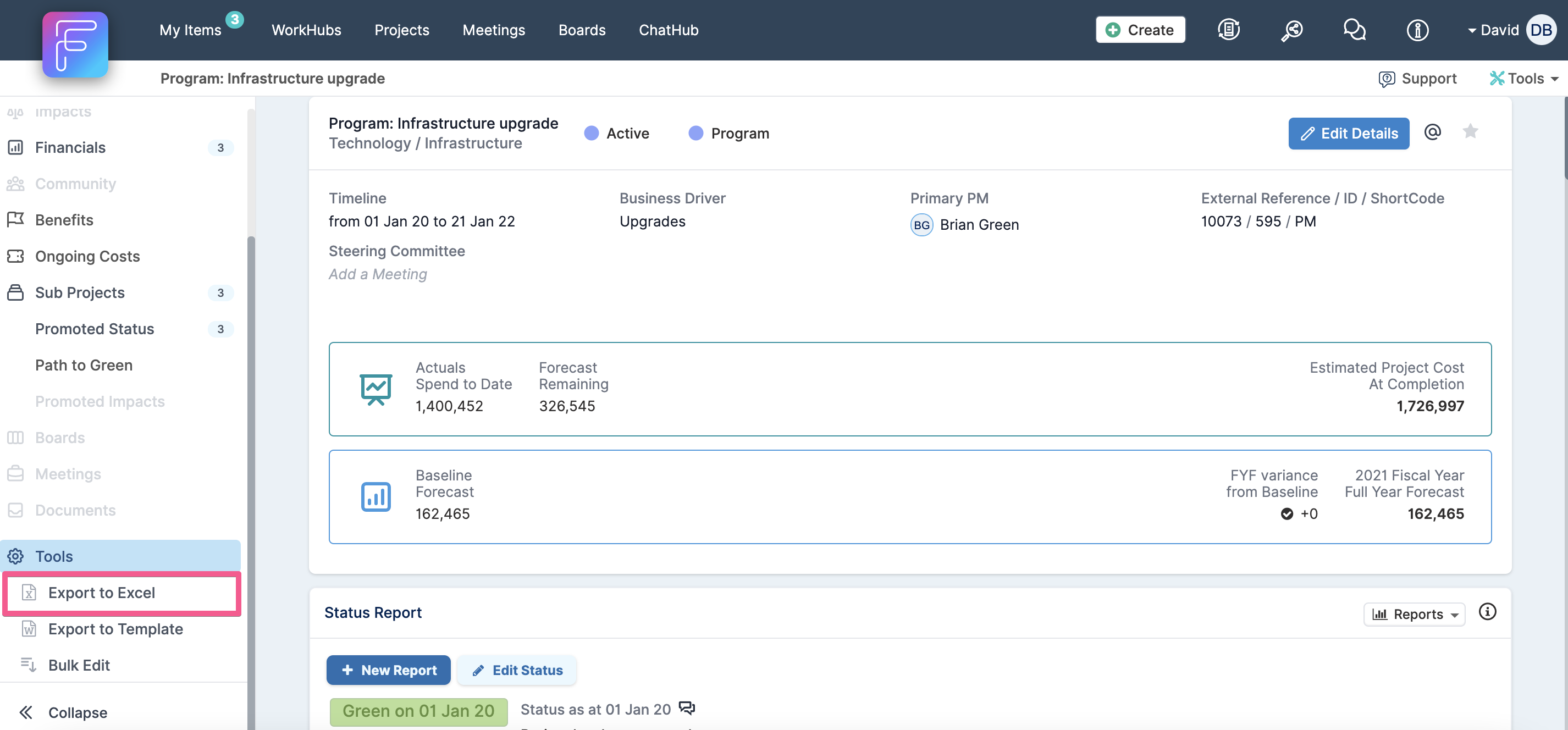
Go to the project workspace of your project, then navigate to the project tools section on the left hand navigation & click on the Export to Excel option.
Step 2. Click on Financials section & select Project Benefits
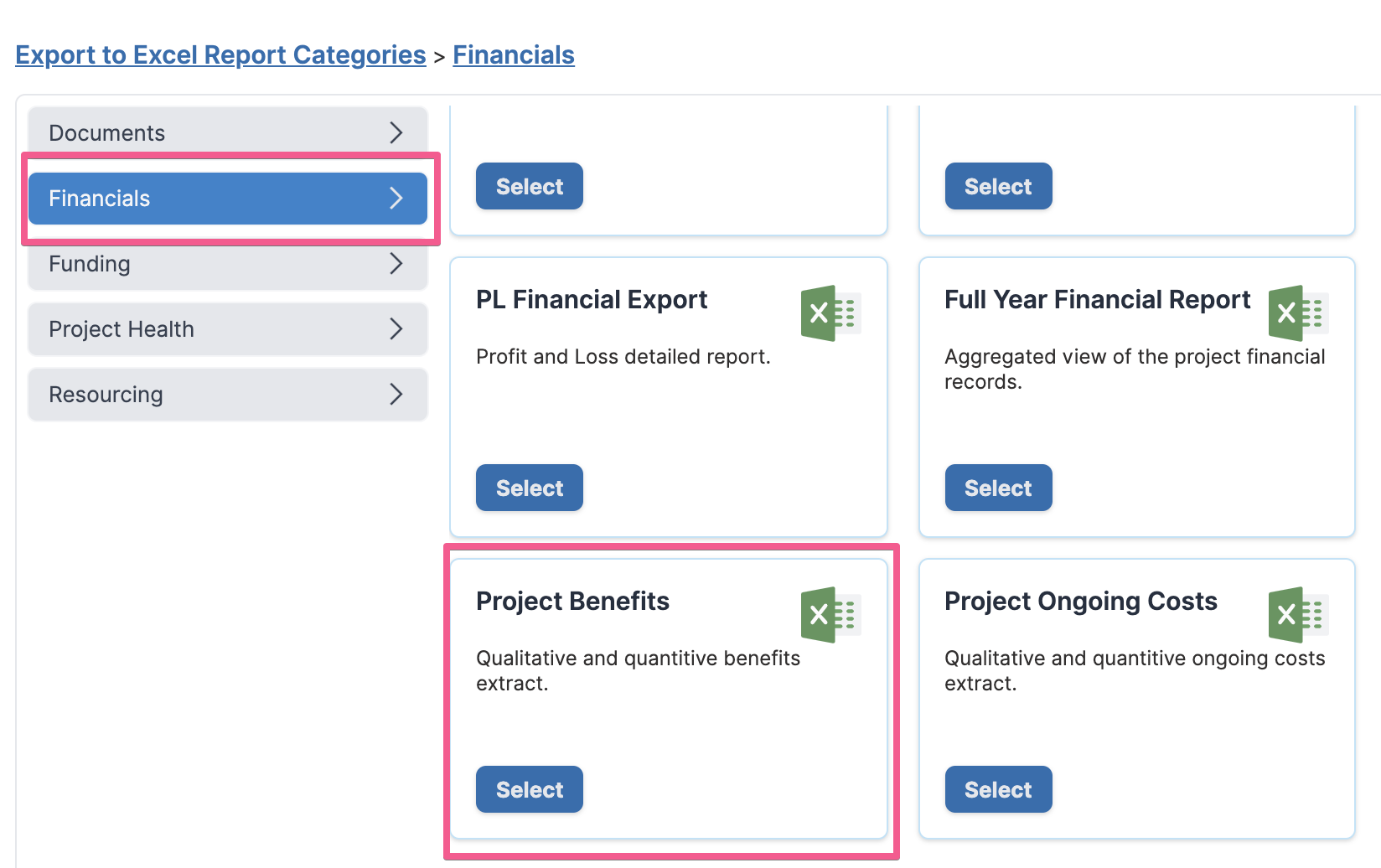
Once the dialog opens, click on the Financials tab and select the Project Benefits option.
Step 3. Including Sub-Project Benefits & Downloading Report
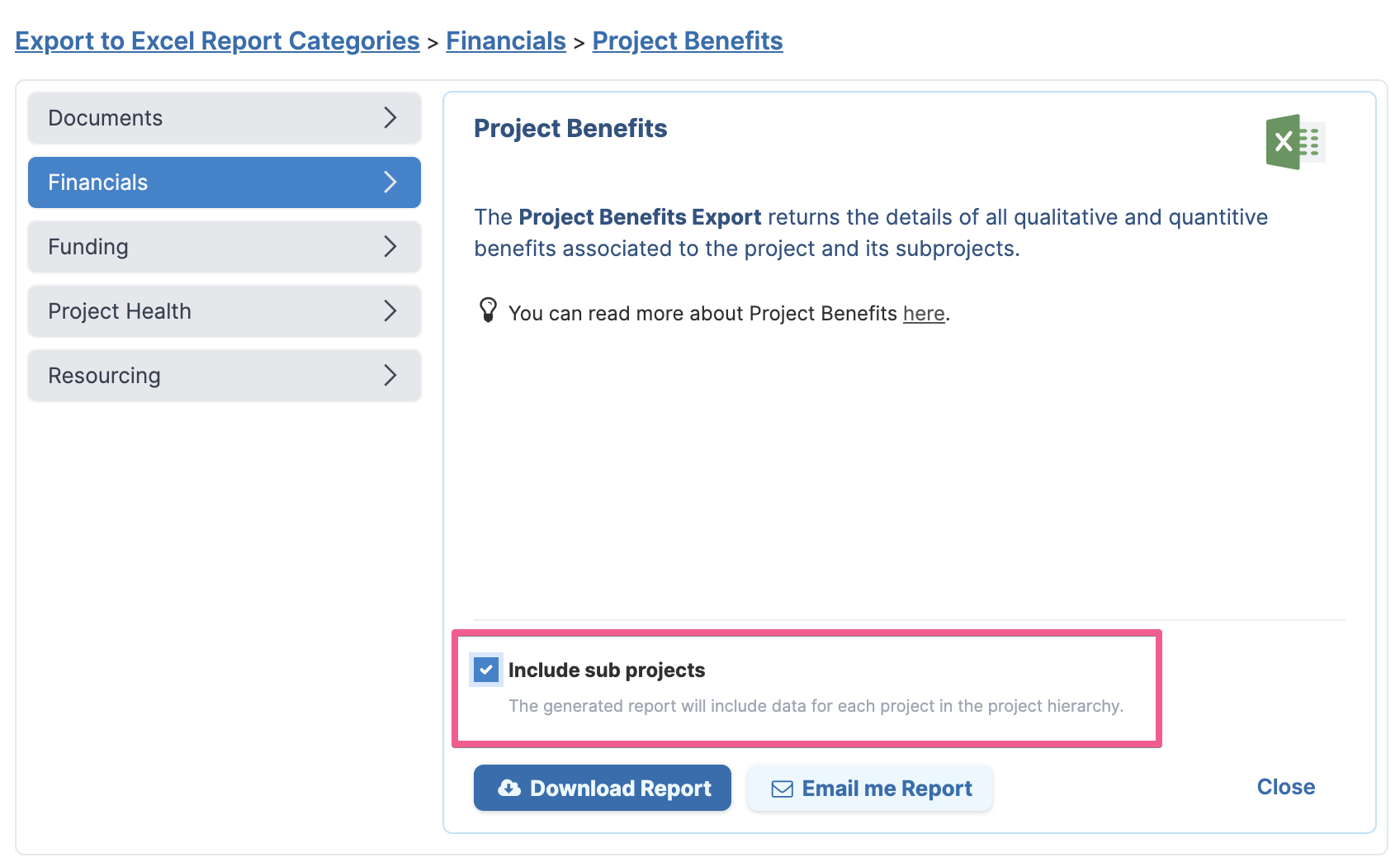
Before downloading the report, check the Include sub projects option if you want to download the benefits for all projects in the project hierarchy too.