A Personal Access Token (PAT) is a long password that Fluid generates for you, so that a tool you use outside Fluid can connect to your Fluid data on your behalf. Spreadsheets that pull live project data, reporting tools, scripts a colleague has written for your team and third-party integrations all use one. The token stands in for your password in those connections, which means you never have to give your real password to another system, and you can switch a single connection off without changing your password or affecting anything else.
A token acts as you. Anything you can see and do in Fluid, a tool holding your token can see and do. Treat it exactly as you would your password: do not email it, do not paste it into a shared document, and do not check it into a shared file. If you think someone else has a copy, revoke it — that takes seconds and is the right response every time.
The following page gives more information on Creating a Personal Access Token.
Use your Token
Use Basic authentication, with your Fluid users username as the username, and the password as the generated token.
Example of what is seen in Power Apps when creating a custom connector.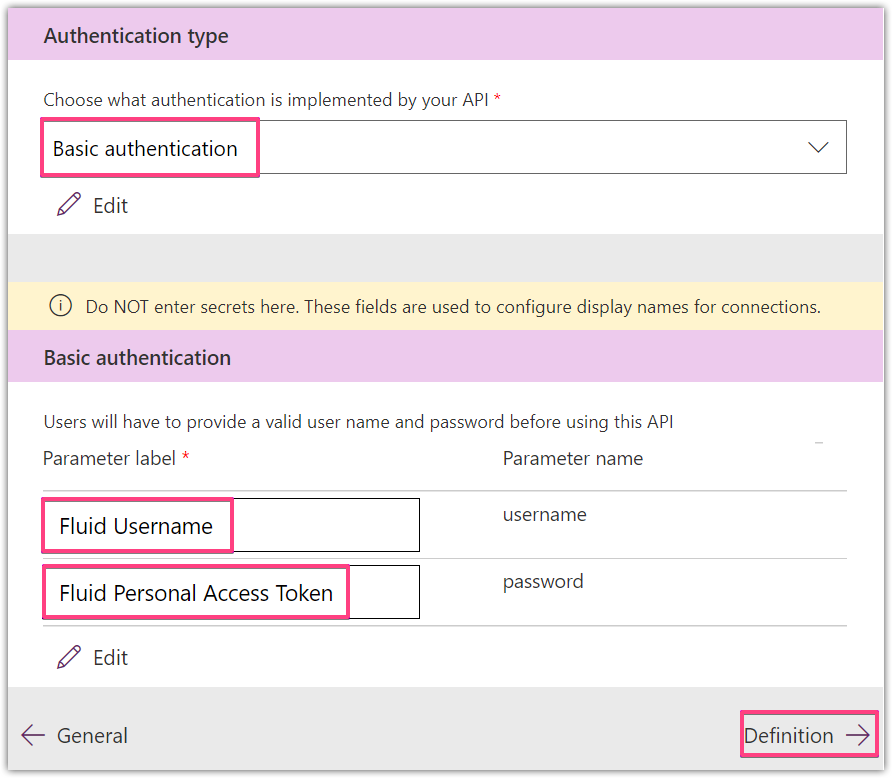
Example of setting the username and password in PowerApps. (Creating a connection)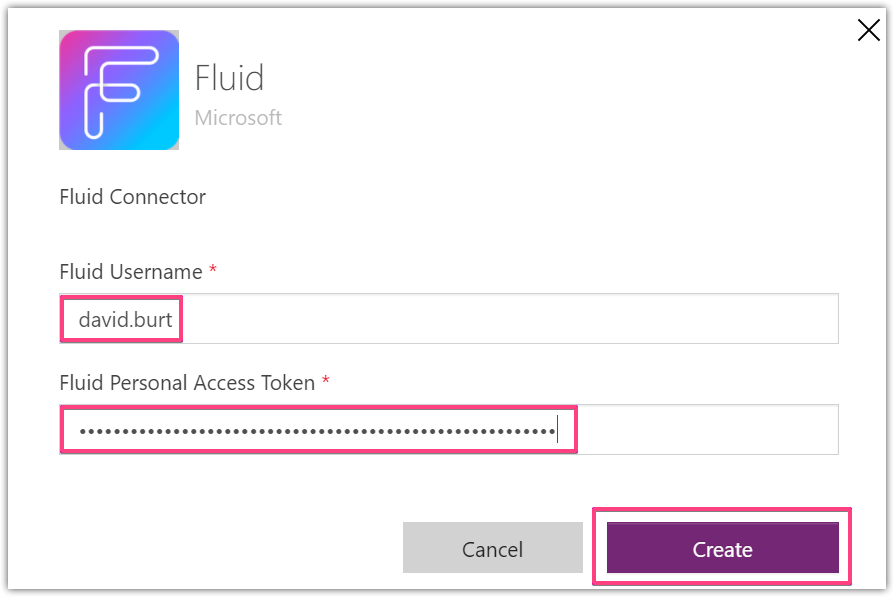
If you are creating your own request manually (with a tool like curl) then you will need to combine your Fluid username with the personal access token and encode to base 64. (Note there must be a colon between the username and token.)
E.g.: username:PersonalAccessToken
Result: david.burt:ZGF2aWQuYnVydHwyMDIwLzExLzA0IDEwOjU2OjM4IEFNfDYwNDMyODE3Ng==
Convert the username and token to base64. (https://www.base64encode.org/)
Result: ZGF2aWQuYnVydDpaR0YyYVdRdVluVnlkSHd5TURJd0x6RXhMekEwSURFd09qVTJPak00SUVGTmZEWXdORE15T0RFM05nPT0=
You can now use the above base64 token with a Api request to your Fluid instance.Add an Authorization header to your request which uses the Basic authorization type.
Authorization: Basic “base 64 token”.
E.g. Header exampleAuthorization: Basic ZGF2aWQuYnVydDpaR0YyYVdRdVluVnlkSHd5TURJd0x6RXhMekEwSURFd09qVTJPak00SUVGTmZEWXdORE15T0RFM05nPT0=Example of a curl request.
curl -X GET -H "Authorization: Basic ZGF2aWQuYnVydDpaR0YyYVdRdVluVnlkSHd5TURJd0x6RXhMekEwSURFd09qVTJPak00SUVGTmZEWXdORE15T0RFM05nPT0=" https://domain.fluid.work/api/Account/MyProfile