Question:
How do I know what day my Timesheet reminder emails will be sent?
Answer:
Timesheet reminders emails are sent out on the number of days defined after the timesheet end date in the Timesheet Configuration Page.
Below, you will find guidance and examples of how you can configure your timesheet reminders so that they are automatically sent out on a specific day.
Note: You must have the Timesheet Administrator role to configure the timesheet reminders, and it is a global setting that will apply to all Timesheet Users and Approvers respectively.
Current Week Timesheet Reminder
The current timesheet week start date is the date on the Monday and the end date is the Sunday of that week.
Day Reminder Email Sent in the Timesheet Week | Number in Field |
Friday (of the timesheet week) | -2 |
Saturday (of the timesheet week) | -1 |
Sunday (last day of timesheet week) | 0 |
Monday (of the next week) | 1 |
Friday (of the next week) | 5 |
Example:
Reminder Type | Week Commencing | Email Received | Setting |
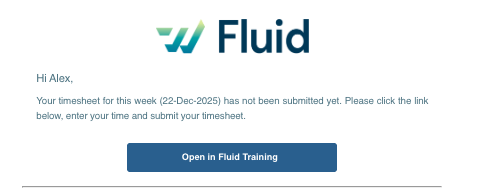
Current Week Timesheet Submission Deadline | Monday 22-Dec-2025 | Saturday 27-Dec-2025 | -1 |
Example Email:
Previous Week Timesheet Submission Deadline
The previous timesheet week start date is last Monday's date and the end date is the Sunday of that same week.
Day Reminder Email Sent in the Timesheet Week | Number in Field |
Monday (2nd week after timesheet week) | 1 |
Tuesday (2nd week after timesheet week) | 2 |
Wednesday (2nd week after timesheet week) | 3 |
Thursday (2nd week after timesheet week) | 4 |
Friday (2nd week after timesheet week) | 5 |
Saturday (2nd week after timesheet week) | 6 |
Sunday (2nd week after timesheet week) | 7 |
Example:
Reminder Type | Week Commencing | Received | Setting |
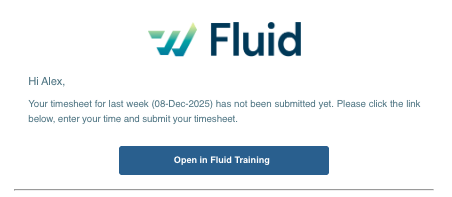
Previous Week Timesheet Submission Deadline | Monday 15-Dec-2025 for the previous week commencing 08-Dec-2025 | Saturday 18-Dec-2025* | 4 |
*7 days (next week) + 4 days (setting)
Example Email:
Pending Approvals
The setting for 'Pending Approvals' is the day which you wish to send out a reminder to approve last week's submitted timesheets. Timesheet Approval Reminder emails will list all Pending Approvals for last week's submitted timesheets and any outstanding approvals for the weeks prior.
Day Reminder Email Sent | Number in Field |
Sunday (last day of timesheet week) | 0 |
Monday (after the timesheet week) | 1 |
Tuesday (after the timesheet week) | 2 |
Wednesday (after the timesheet week) | 3 |
Thursday (after the timesheet week) | 4 |
Friday (after the timesheet week) | 5 |
Sunday (after the timesheet week) | 7 |
Example:
Reminder Type | Week Commencing | Received | Setting |
Timesheet Approval | Monday 22-Dec-2025 | Friday 02-Jan-2026 | 5 |